


Pinterest released a new feature last week, giving marketers significantly more control over how their companies’ Pinterest boards are represented.
This new feature allows users to choose the cover images for their pin boards, which serve as a sort of directory for a user’s Pinterest presence. In the past, the cover was always the last image or a thumbnail of the last video posted to the board.
Pinterest boards organize a user’s content.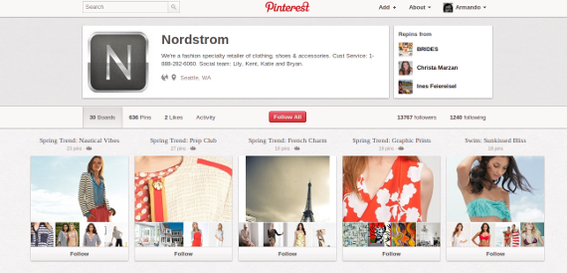
The new capability was one of the most requested updates the service has received since it revamped its profile pages a few weeks ago.
Choosing a New Pinterest Board Cover
To set a new pin board cover, a user must log in to Pinterest and navigate to the profile page.
From the profile page, simply hover over any pin board to reveal a new “Edit Board Cover” button.
The first step in updating a board cover is to hover over the board.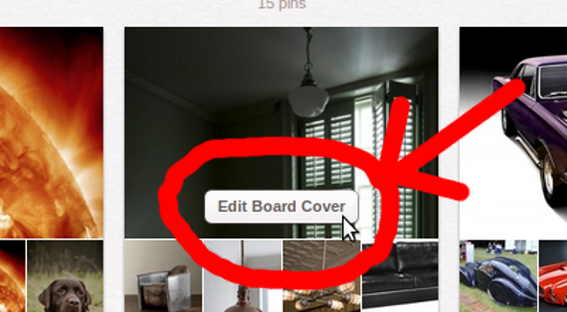
Clicking this new button opens a dialogue window. This window has a content slider of sorts, letting the user step through all of the available thumbnail images for a given pin board. Dragging the image repositions it in the window.
The new cover image is chosen in a dialogue window.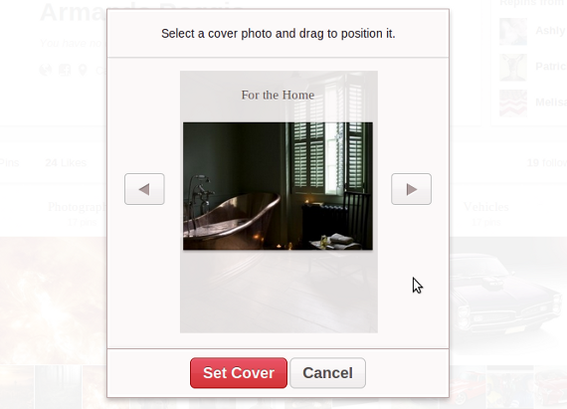
Clicking the red “Set Cover” button will complete the process and return the user to the profile page.
The new cover image appears in place on the profile page.
Monitoring Pins
The new pin-board cover feature follows closely on the heels of a change to the entire profile page. The new profile layout, which is the landing page marketers will likely send prospects to on Pinterest, now includes a section called “Repins From.”
This section shows visitors the three people or businesses that a user most often repins.
Repins From shows popular sources for a given user.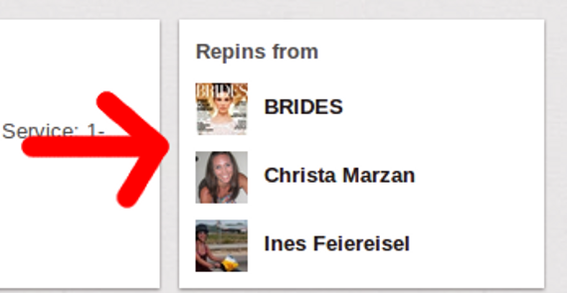
While this new section may be informative, it is almost the opposite of what marketers would like to know, specifically who is pinning or repinning content that the marketer’s company has posted on its site or blog.
While — at the time of writing — there is not a way to specifically do this from the Pinterest user interface, it can be discovered by typing a specific URL into a browser’s address bar.
In the example below, “some.com” represents any website address to find pins for.
http://pinterest.com/source/some.com/
As a more specific example, the following web address shows all of the pins that originated at Macy’s website.
http://pinterest.com/source/macys.com/
Using a specific URL it is possible to track pins from any given website.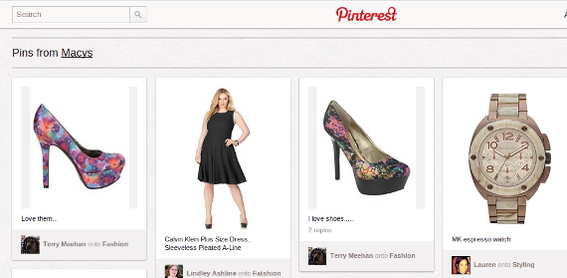
Here is another example that will show all of the pins originating from comic book and toy retailer Things From Another World.
http://pinterest.com/source/tfaw.com/
These pins all come from the Things From Another World website.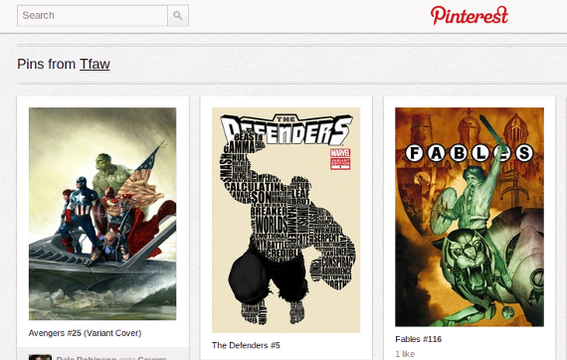
Be sure not to use “www” in this URL. It will cause the link to fail.
The results shown allow a marketer to see specifically which users are posting images.
This can be a very powerful engagement tool. For example, Blue Chip Wrestling has contacted at least one user who pinned images from its site. Other marketers may wish to send pinners special coupons or discounts or simply follow them.
Blue Chip Wrestling rewards users that pin their images.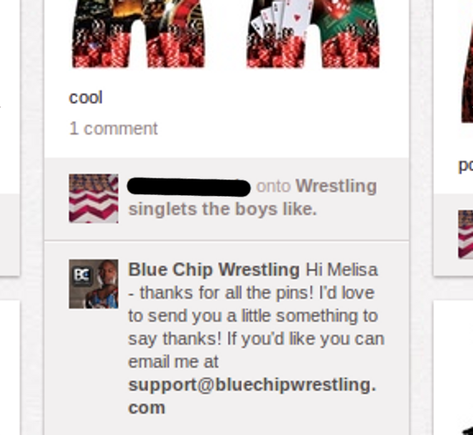
Pinterest is Trending
Pinterest is one of the fastest growing social media sites in the world. Experian Marketing Services claimed in a report released April 5, 2012, that Pinterest had become the third most visited social media property for U.S. Internet users, trailing only Facebook and Twitter.
The report also stated that Pinterest’s U.S. Traffic grew 50 percent in February 2012 compared to the prior month.
All of this traffic and buzz has marketers eager to engage users on Pinterest. Selecting the most appealing covers for pin boards and tracking which users are pinning content can only help.





 Google's AI Cart Will Remake Ecommerce
 AI Shifts Product Discovery, not Loyalty
 For Brands, AI Is the New Shelf Space
 New Ecommerce Tools: May 20, 2026
 How Content Marketers Misuse GenAI
 FAQs for Google's 'Preferred Sources'


 SEO for AI, Low Traffic, No Clicks