A “Channel” is YouTube’s equivalent of a Facebook page. You must create a YouTube Channel to upload videos, comment on videos, or create “playlists” — collections of different videos by topic.
In this article I discuss how to set up a YouTube Channel, to help market your business.
Create a YouTube Account
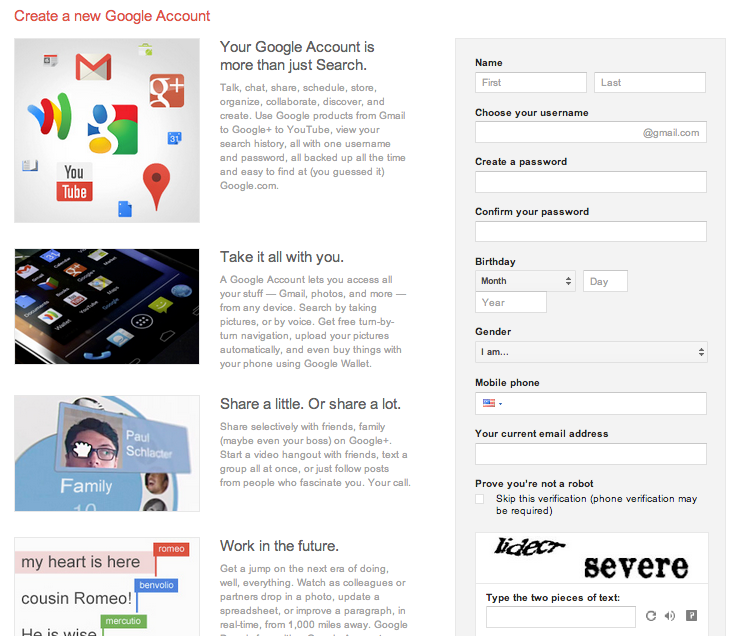
Recall that Google owns YouTube. Therefore, to use YouTube you must have a Google account. If you already have a Google account, you can use it to log into YouTube. If you do not, go to the Google accounts page and complete the registration form.
Set up a Google account if you do not already have one. Enlarge This Image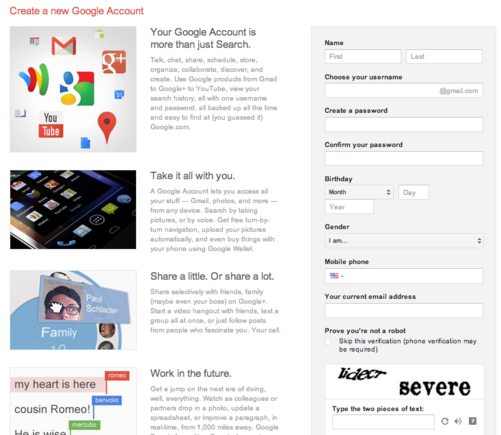
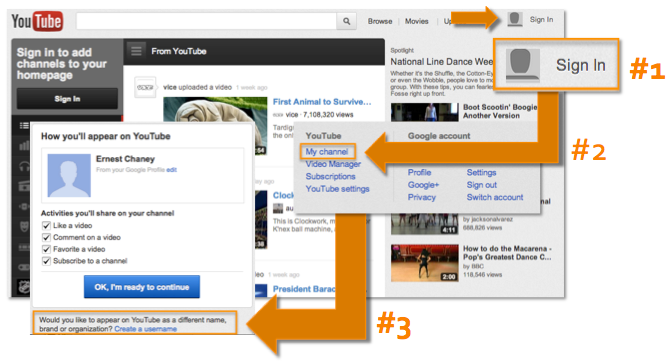
Once you have created your account, go to YouTube and click the “Sign In” link located at the top right of the page. Enter the username and password on your Google account and click “Sign In.”
Next, click the small arrow located at the upper right-hand of the page. Then click “My Channel.”
You will then see a screen that says, “Would you like to appear on YouTube as a different name, brand or organization? Create a username.” Since you are setting up the channel for your business, choose that option.
Sign in to YouTube and create a username for your business. Enlarge This Image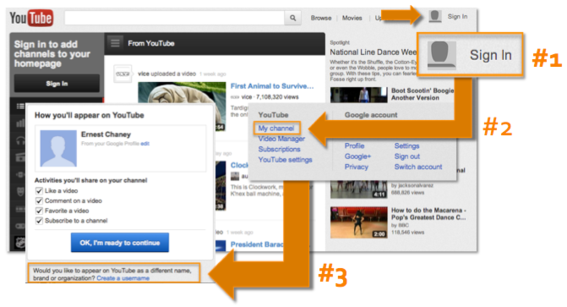
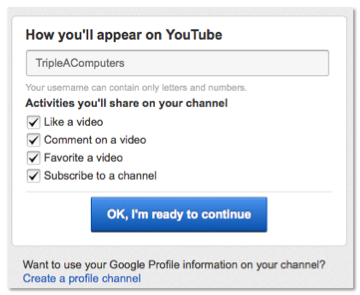
You will be asked to create a username, which can only contain letters and numbers, not spaces.
You can then choose from different activities to share on your channel: (a) Like a video, (b) comment on a video, (c) favorite a video, and (d) subscribe to a channel. Most likely, those activities are already checked. It’s best to give yourself as many options as possible when participating on YouTube. Leave them checked and click the “Ready to continue” button.
Select activities you would like to share on YouTube. Enlarge This Image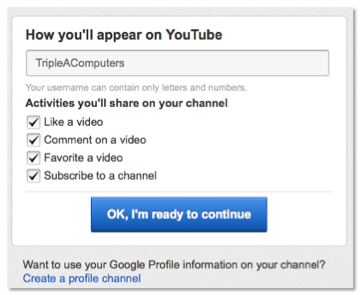
YouTube Channel Settings
There are a few more steps to complete your Channel configuration.
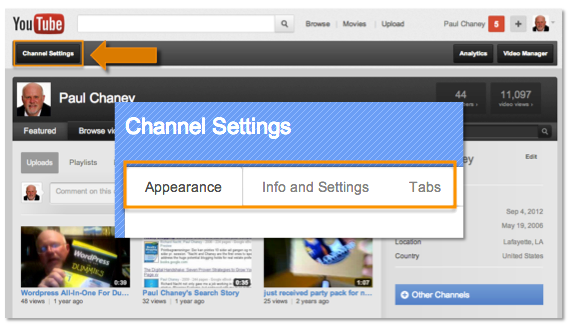
The first is click to the “Channel Settings” button located on the upper left-hand side of the page. There are three settings to address: Appearance, Info, and Settings and Tabs.
Click "Channel Setting" to complete the configuration. Enlarge This Image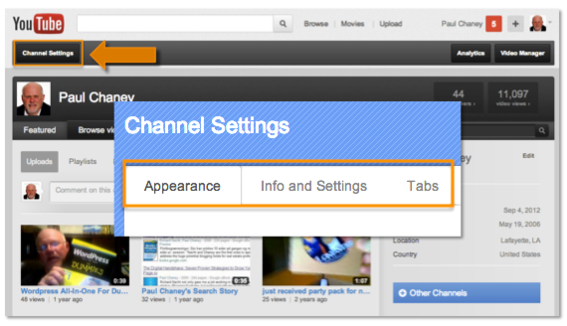
Appearance. This is where you change or upload an avatar — i.e., profile image, which can be the logo of your business — and set the Channel background image and colors. This can improve your branding.
Info and Settings. This section gives you the opportunity to add a channel title, description, and tags. You will want to use your business name. Include information about your business in the description box, and add some keywords in the tags field that should be associated with your business.
Tabs. This area contains a number of settings options. The first is to choose which tab you would like to use as the default. “Tabs” determines the layout users see when they visit your Channel. There are three options.
-
Feed tab. The Feed tab is where all of the action happens on your Channel. Users can click on Feed to see what’s new and allows Channel owners to showcase the latest activity. This feature is YouTube’s version of a Facebook status update or a Twitter tweet.
YouTube describes Feed as your Channel’s “distribution center. ” Any content shared here — uploads, comments, favorites, likes, playlists — will be posted to your Feed and seen by your subscribers on their individual Channel home pages.
Post items to your feed regularly. This keeps your Channel content fresh, maintaining more top-of-mind awareness with subscribers.
-
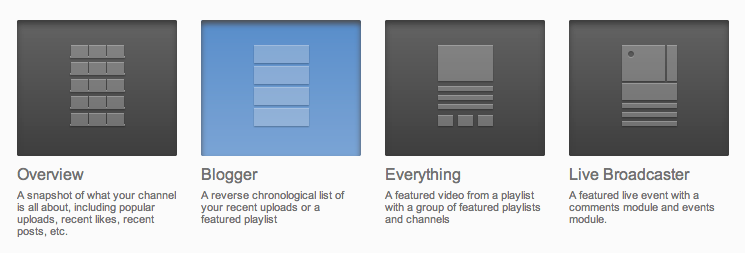
Featured tab. The Featured tab is an easy way to organize and display your videos. YouTube provides four templates to allow Channel owners to highlight content. First, “Overview” is a snapshot of what your channel is all about, including popular uploads, recent likes, and recent posts. Second, “Blogger” mimics the look of a blog with videos listed in reverse chronological order. Third, “Everything” includes a featured video along with both playlists and channels. Fourth, “Live Broadcaster” is a new addition to the template lineup and can be used to broadcast live events. It includes a comments and events module.
Every Featured tab has a playable video module prominently displayed on the Channel and options for highlighting your most important playlist(s) or other Channels. My preference is to select this tab as the default.
The Featured tab contains four different Channel templates. Enlarge This Image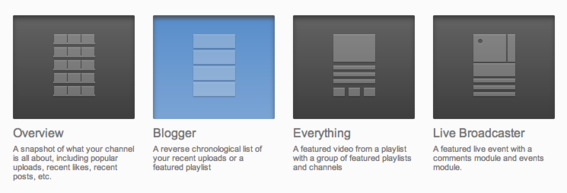
-
Videos tab. The Videos tab is the place where viewers can see and sort all of your uploaded videos and playlists. In this tab, you can choose to automatically share activity on your YouTube channel. Options include “Like a video,” “Comment on a video,” “Favorite a video,” and “Subscribe to a channel.”
For “Feed settings,” you can allow channel comments. You can choose to either display comments automatically or display comments only after they have been approved.
Summary
Once you have completed all the edits from the Appearance, Info and Settings, and Tabs options, click the “Done Editing” button located in the upper right-hand side of the page to save. You now have a YouTube Channel.





 Google's AI Cart Will Remake Ecommerce
 AI Shifts Product Discovery, not Loyalty
 New Ecommerce Tools: May 20, 2026
 For Brands, AI Is the New Shelf Space
 How Content Marketers Misuse GenAI
 FAQs for Google's 'Preferred Sources'


 SEO for AI, Low Traffic, No Clicks