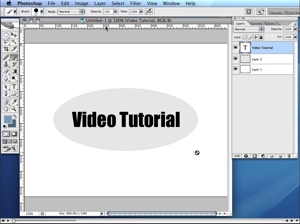
 Learning how to use Photoshop can be a very intimidating experience. In most cases, you have an idea of what you want to accomplish but you don’t know how to use the available tools to get it done. In this video tutorial Practical eCommerce’s Chief Architect Brian Getting provides a brief introduction to layer styles in Photoshop.
Layer styles provide a way for designers to apply particular visual effects to entire layers in a Photoshop document, as opposed to creating many layers and to achieve a similar effect. Using layer styles, designers can simplify their Photoshop documents and more easily make changes in the future.
Software Used: Adobe Photoshop CS2
Sample Files: layerstyles.psd.zip
This video tutorial requires QuickTime. If you have trouble viewing this video in Internet Explorer, please right-click the image above and select “download target as” to save the movie to your computer.



 ChatGPT vs. Gemini for SEO Tasks
 5 Content Marketing Ideas for May 2024
 SEO Takeaways from SGE's Partial Rollout
 BNPL Competition Drives Wins for Merchants
 Google Ad Updates Reflect New SERPs
 How to Track ROI from Content Marketing
 The Profitable Seller: Mastering Amazon FBA