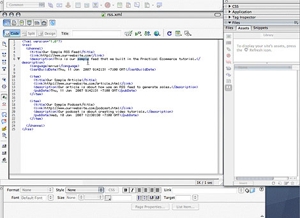
Learn how to create a simple RSS feed in this tutorial by Practical eCommerce's Online Director Brian Getting. Walk through creating the XML file needed to establish a syndicated feed, and a look at the minimum tags, or feed elements, required to have a meaningful feed. No explanations of technologies, no theories, just a straight-forward example of an RSS feed that you can have up and running on your site in minutes, or use as a template for creating more advanced feeds.
This tutorial is intended for website developers that are beginning with RSS feeds. A basic understanding of markup languages, XML and website file management are assumed. Please submit any questions or comments to this tutorial in the "comments" section below. This is the first video tutorial from Practical eCommerce, and we're interested in your feedback on the helpfulness of this feature, and we welcome suggestions on future video tutorials.
Software Used: Adobe Dreamweaver 8
Sample Files: RSStemplate.xml.zip
View Tutorial
This video tutorial requires Flash Player version 8 or above. Please forward us your ideas for additional video tutorials, via our Contact Us form.
Saturday, January 20, 2007 · 12:20 PM
Re: the date you are correct. It appears that I put an extra space in there somewhere. This date format is strict, and I think its important to refer to feedvalidator.org to ensure that you put the date in the right format. Atom feeds, for example, require a different strict format. Aside from character encoding, this is the other tricky part to creating RSS feeds.
-- Brian Getting
Monday, February 19, 2007 · 04:47 AM
Alternately, should you have an interest to submit feeds in the newer, Atom 1.0 format, there is a fully detailed howto at this URL.
http://starling.us/atom
In addition to simple markup, this tutorial will be kept up-to-date on such things as browser quirks, presentation using XSLT stylesheets and sorting via Perl/CGI.
-- Gan Uesli Starling
Friday, March 09, 2007 · 11:46 AM
Great tutorial! Thank you!
Question(s): What's the difference between a podcast and an RSS feed? I've noticed in IE7 that I can't select anything other then IE7 to view an RSS feed, is there a work around so I can keep Microsoft from dictating to my users what software they'll use? Also, in Firefox, the RSS feeds I create will open the iTunes app, but don't download unless I go tools/subscribe to podcast and paste the link in...
Any help would be AMAZINGLY appreciated!
-- Bob Edwards
Friday, March 09, 2007 · 12:02 PM
A podcast is an audio file (or a series of them, like a radio show) that people can download freely. Podcasting utilizes RSS feeds, however, as a way to make sure that people can stay updated with new episodes. There is a specification for and iTunes RSS feed, which has proprietary tags but is also recognized by many other websites and podcasting tools. You can see the iTunes RSS feed specification here:
http://www.apple.com/itunes/store/podcaststechspecs.html
As for what tools to use to access RSS feeds, it depends on what you want. IE7 has RSS reader capabilities, as other browsers have had for a while. If you want to use Firefox to access a feed, you could do that. Otherwise, there are a ton of other RSS reader and news aggregator applications available. Not to mention that you can use Yahoo!, Google, MSN, and other web based services to subscribe to RSS feeds and track web content.
As for your iTunes links, you should get a link from Apple when your podcast has been accepted into their directory. It will probably start with "http://phobos.apple.com/WebObjects/" and so on. That link will open iTunes and open up the page in the iTunes store for your podcast. The user will still need to click "Subscribe" to subscribe to your podcast.
Hopefully this helps.
-- Brian Getting
Sunday, October 19, 2008 · 02:37 AM
Hey Brian,
Great tutorial helped me understand all of this a little bit better. But I have a question... after I feed your rss template through the feedvalidator I get this:
line 3, column 0: XML parsing error: <unknown>:3:0: xml declaration not at start of external entity
this is what I have on line 3:
<?xml version="1.0" encoding="UTF-8" ?>
Not really sure what is wrong with this.
A quick fix or explanation would be greatly appreciated.
Thanks again.
Connect with us