
Black Friday Bids Need Clean Cookie Consent
Black Friday is the week your ad budget works hardest. It’s also the week your bidding algorithms have the least room for error.
Google’s Smart Bidding, Meta’s Advantage+, and Microsoft’s automated bidding all make the same bet: that the conversion data flowing back from your store reflects what’s actually selling. When it doesn’t, the algorithm keeps bidding, just on a partial picture.
The cause is often a cookie consent setup nobody has looked at since installation. A banner that loads but doesn’t pass consent to the ad platforms, a holiday tag added outside the consent rules, a checkout page running a different script stack.
None of these throw an error. They show up as a ROAS number that drifts, a CPA that creeps, or a gap between the conversions in your ad dashboard and the orders in your Shopify admin.
How Consent Feeds Bids
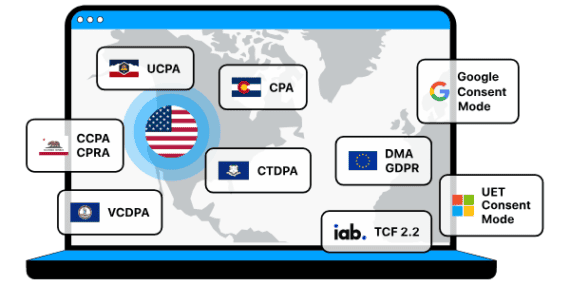
Every visitor who sees your cookie consent banner makes a choice, and that choice has to reach Google, Microsoft, and the other platforms you advertise on. Google Consent Mode v2 is the channel. It carries four signals, including ad_user_data and ad_personalization, which Google added in late 2023.
When a visitor accepts, tags run normally. When a visitor declines, Consent Mode lets Google tags send limited, non-identifying pings so Google can model the conversions it can’t observe directly. Those modeled conversions flow into Smart Bidding alongside the observed ones.
Without that signal, Google can’t run conversion modeling, Smart Bidding, or remarketing properly for those visitors. Declined visitors simply drop out of the data. Your bidding treats them as if they never converted, so it underbids on the keywords and audiences that actually drove sales.
Where Gaps Start
Most consent gaps aren’t created by a bad decision. They accumulate quietly, and they pile up fastest in Q4.
- New holiday tags. Promotions bring new pixels, affiliate scripts, and apps. Each one added outside your consent setup either fires without consent or never gets the signal it needs.
- The checkout page. Many platforms route checkout through a separate subdomain or hosted page with its own scripts. A pixel gated correctly on the homepage can behave differently at checkout, where purchase and conversion tags live.
- A missing default state. Consent Mode needs a default consent state set before any Google tags load. If it isn’t set, tags fire on incomplete instructions, and modeling may not work as intended.
- Two banners on Shopify. Running Shopify’s native banner alongside a separate consent tool means visitors may be asked twice, and Shopify keeps managing consent itself instead of handing it off. Signals can conflict.
4 Checks before Thanksgiving
With a code freeze likely in place, this isn’t the week to rebuild anything. These checks change nothing unless they find a real gap.
- Confirm Consent Mode is active. In Google Ads, the conversion diagnostics show whether Consent Mode is detected and whether modeling is running. If it isn’t, that’s your first fix.
- Place two test orders. Run one with the banner declined and one accepted. Use your browser’s developer tools or Google Tag Assistant to see which tags fire on product, cart, checkout, and thank-you pages.
- Scan for tags added since summer. List every app and pixel installed for holiday campaigns and confirm each is categorized and blocked until consent.
- Set a baseline. Record the gap between ad-reported conversions and actual orders for the past two weeks. That number is your Black Friday week benchmark.
Once traffic peaks, changing your consent configuration is riskier than living with a known gap. Watch the daily gap between ad-platform conversions and store orders. A sudden widening (or a drop in modeled conversions) points to a tag or consent problem rather than a demand problem. Note it, and fix it after Cyber Monday.
About Cookiebot
Cookiebot by Usercentrics is a Google Gold Tier-certified consent platform. It automatically passes Consent Mode v2 signals to Google, Microsoft, and Amazon. Its patented scanner checks your site monthly. On Shopify, the app installs through the App Store and replaces the native banner, so consent is asked once and passed cleanly. Start your 14-day free trial today at Cookiebot.com.
