


Editor’s Note: Bill Hartzer is a contributor to Practical eCommerce and manager of search engine optimization and social media marketing with VizionInteractive, a Dallas-based online marketing firm. Hartzer wrote the article, below, which first appeared in that company’s blog.
Inbound links are important for search engine optimization. In order to get more links to your website from other trusted websites, consider LinkedIn. This site is an online networking tool that helps you discover job candidates, industry experts and business partners. Many of your employees might already be using LinkedIn as a networking tool. But they may not have links from their profiles to your website.
This article will explain how to add links in a LinkedIn profile. If you have not registered for LinkedIn, I suggest you do so now. You’ll need to register, confirm your email address, and start filling out your profile. For this simple task of adding links to your profile, I’m assuming that you already have a profile set up. From there, take the following steps:
Step 1. Log into LinkedIn.
Step 2. On the left side, you’ll see some links:
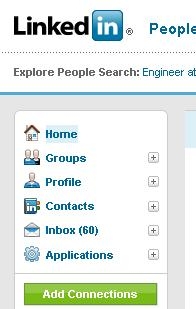
Navigation menu in LinkedIn.
Step 3. Click on the Profile link as shown below. You should be seeing the “Edit My Profile” tab (not the “View My Profile” tab). This tab allows you to edit your profile.
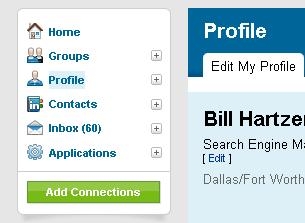
LinkedIn Profile edit function.
Step 4. Scroll down until you see the “Websites” link in the middle of the screen, as shown below: If you have already added websites to your profile, you can click on the “Edit” link to edit each one, if necessary.
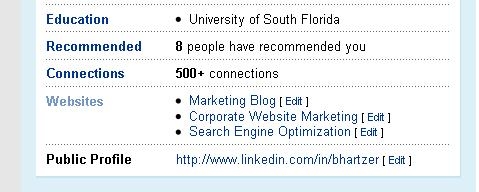
Use “Websites” to add links.
Step 5. Click on the “Websites” link. You will then be brought to the “Additional Information” section, as shown below:
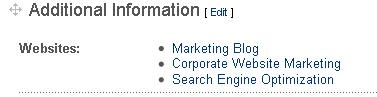
“Additional Information” contains recommended links.
Step 6. Click on the “Edit” link there in order to add or edit the websites you have listed in your profile. You are brought to the “Additional Information” page as shown below:
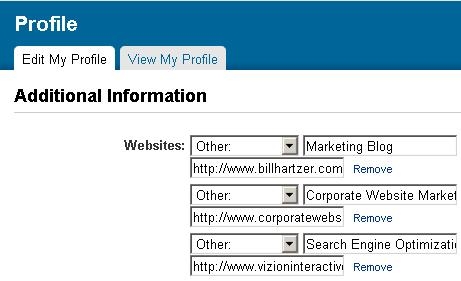
Add up to three links in “Additional Information.”
There are three links that you can add to your LinkedIn Profile. I suggest that you fill out all of the links, using the appropriate “anchor text” or “keywords” that describe each link. If you do not have more than one website, then you might consider linking to your website’s home page and two additional web pages on your website, such as an important product page or your company’s “About Us” web page. You might also consider adding links to your social media or social networking profiles on other social media websites, such as Twitter.com.
Summing Up
LinkedIn is a helpful networking tool that can also create inbound links to your ecommerce site. These links will not only generate traffic to your site, but will also help with your search engine optimization efforts, as the search engines monitor inbound links to determine a site’s ranking.





 New Ecommerce Tools: September 16, 2026
 New Ecommerce Tools: September 23, 2026
 Test Your Products for AI Discovery
 AI Shopping Could Mean Fewer Returns
 Shopify Opens to Meta Muse; Amazon Balks
 5 Levers Drive CAC, Says Ad Pro