Facebook and Pinterest continue to grow in popularity for social commerce marketing channels among retailers. Until recently, however, there was no convenient way to tie the two together. Two companies — Woobox and Tabfusion — have now developed easy to use apps that allow merchants to pull Pinterest pins and boards into Facebook Pages.
1. Woobox

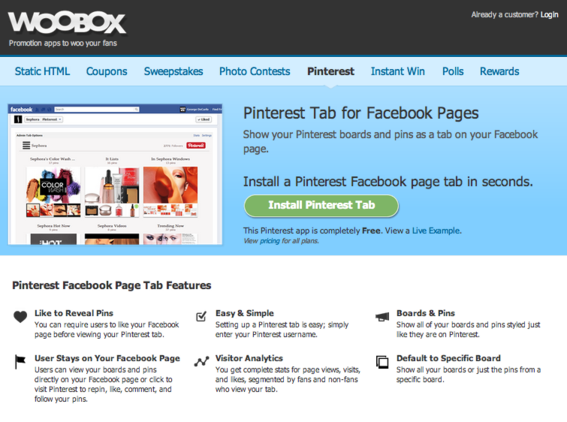
Woobox offers a free Pinterest Facebook Page app.
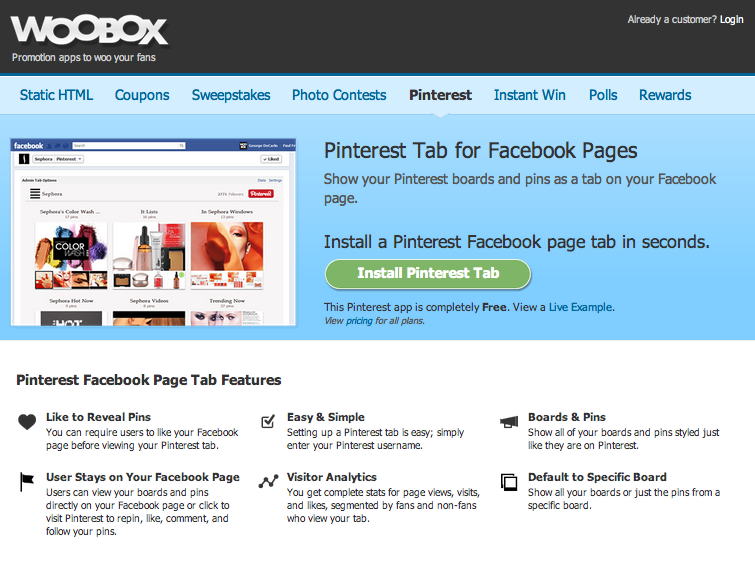
Facebook Page app developer Woobox has launched a free Pinterest Tab App to showcase Pinterest boards and pins on Facebook Pages just as they appear on Pinterest itself.
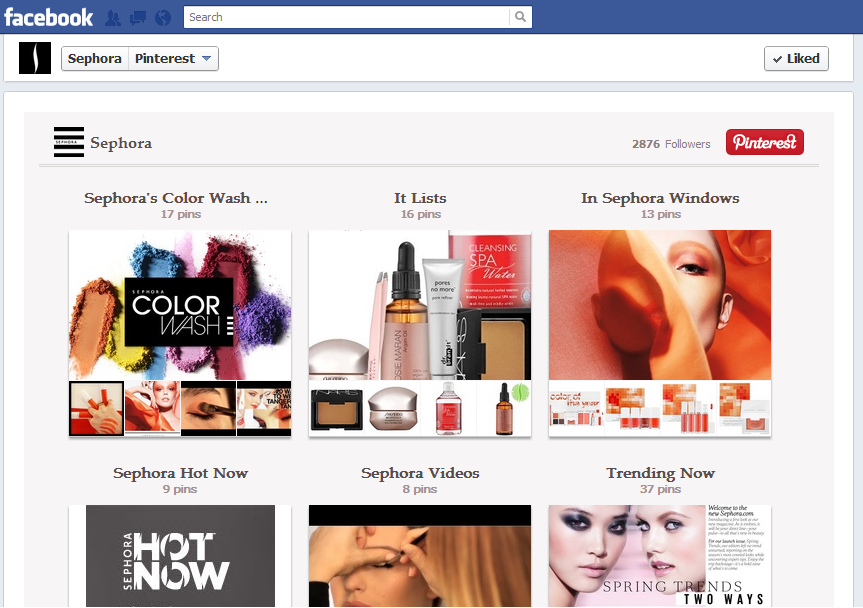
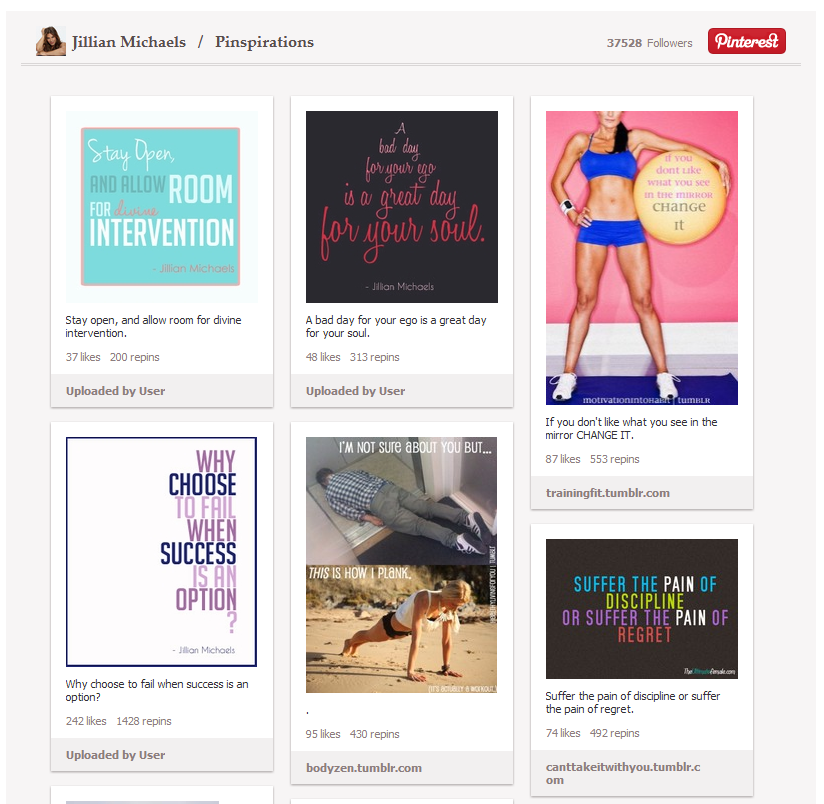
Here are two examples.
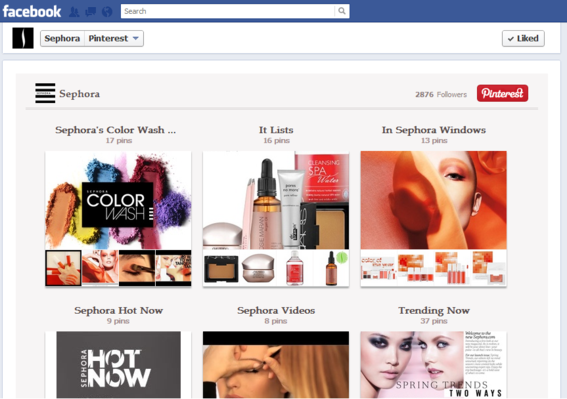
Example of Pinterest app by cosmetics company Sephora.
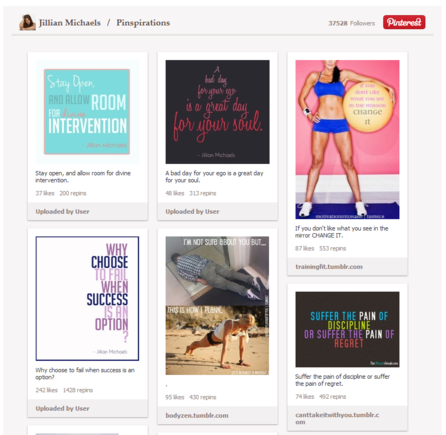
Example of Pinterest app by fitness trainer Jillian Michaels.
Pinterest Tab Installation Process
- To use the app, sign up for a free Woobox account at Woobox.com and clicking the “Try It Now” button on the home page.
- Following registration, click “Pinterest” from the list of apps shown in the left-hand column.
- Click the “Add a Pinterest Tab” hyperlink to complete the installation process.
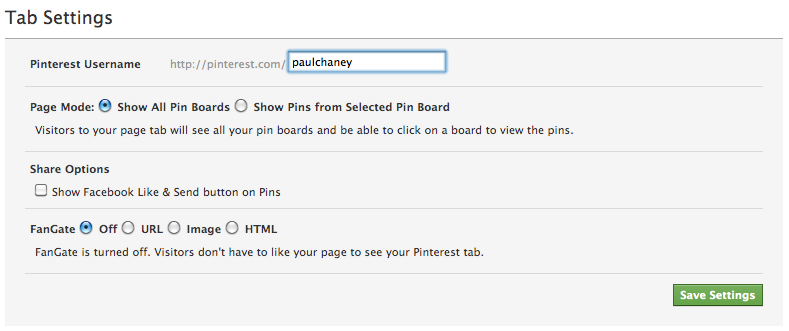
Once installed, you are presented with a settings page where you will insert your Pinterest username — i.e., http://www.pinterest.com/username — into a blank field.
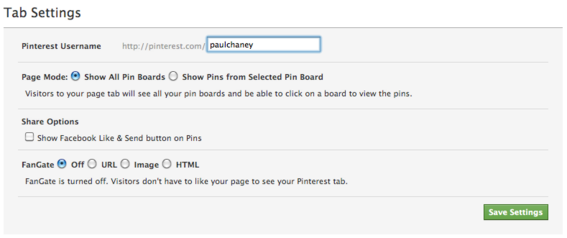
Woobox Pinterest app settings page.
You then have the option to choose one of two page modes: “Show All Pin Boards” or “Show Pins from Selected Pin Board.” There is also an option to include Facebook sharing buttons — Like and Send — on Pins. Finally, Woobox includes a “fangate” option that, if chosen, requires visitors to first Like your page before seeing the Pinterest app.
Woobox indicates that visitors can view your boards and pins directly on your Facebook page or click an image to visit Pinterest to repin, like, comment, and follow your pins.
2. Tabfusion
Another Facebook Page app provider, Tabfusion, has developed its own version of a Pinterest app. Unlike Woobox, which is free, this app costs $20 per year.
Pinterest Tab Installation Process
Step 1. Once you have registered as a paid user, click the “Dashboard” link located at the top of the page.

Click the Dashboard link to begin installation.
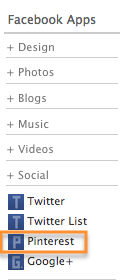
Step 2. In the left-hand column you will see a list of apps. Choose Facebook Apps > Social > Pinterest. This takes you to the Pinterest app.
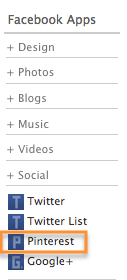
Look for the Pinterest app located in the left-hand column.
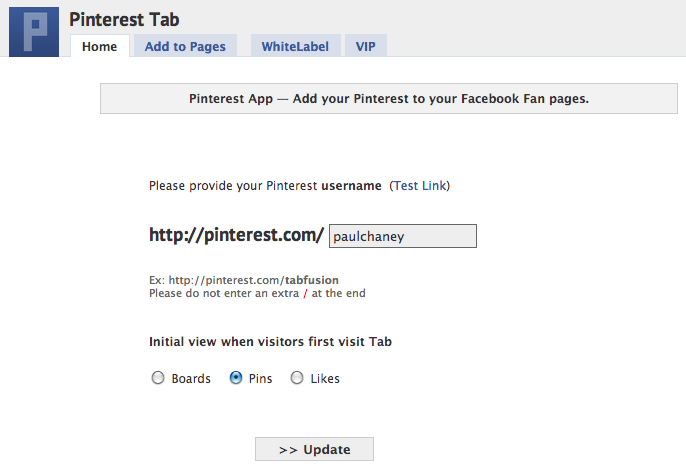
Step 3. Insert your Pinterest user name, then click “Update.”
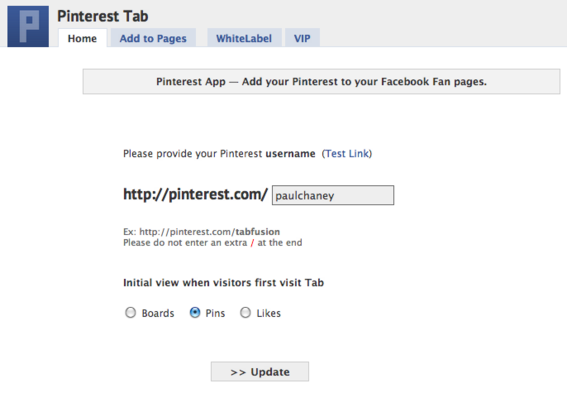
Insert your Pinterest username, then click “Update.”
Step 4. Click the “Add to Pages” tab located next to “Home” in the navigation menu at the top of the page.
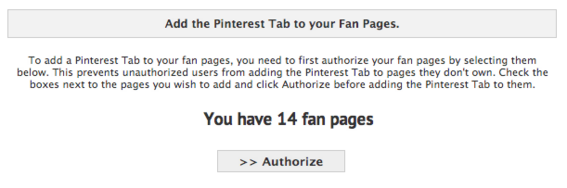
Select the Facebook Page where you want the app to be installed.
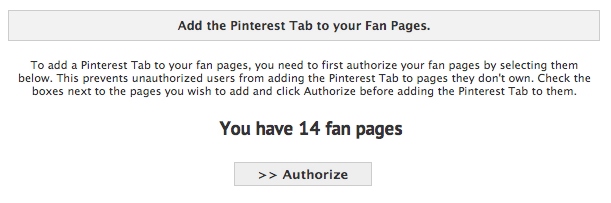
Step 5. Authorize the Page where you would like to install the app, then click “Add to Page.”

Authorize the Facebook Page to complete the installation process.
Facebook Page Tab for Pinterest
In addition to the apps by Woobox and Tabfusion, an independent developer, Vladimir Sobolev, has created a free Pinterest app that is worth mentioning.
No registration is required, the installation process is simpler than either of the previously mentioned versions, and the app provides the option for Facebook Page owners to pull in a variety of Pinterest data, including user pins, user boards, a single pinboard and other options.
Conclusion
I recommend the Woobox app because it is free and offers several options, including choice of specific pinboards to display, social sharing buttons, and the ability to use fangating. Plus, even at the free level, Woobox provides personal technical support in case you encounter difficulties setting up the app. I see no value in paying for Tabfusion’s version, as it provides no particular features that make it worth the additional expense. In addition, the installation process requires more steps and is less intuitive.
However, if you do not wish to go to the trouble of registering for an account at either Woobox or Tabfusion, the third option – the one by the independent developer – is probably the quickest and simplest to use.





 ChatGPT vs. Gemini for SEO Tasks
 5 Content Marketing Ideas for May 2024
 SEO Takeaways from SGE's Partial Rollout
 BNPL Competition Drives Wins for Merchants
 Google Ad Updates Reflect New SERPs
 How to Track ROI from Content Marketing
 The Profitable Seller: Mastering Amazon FBA