Manage Subscriptions · Subscribe Now · F.A.Q.'s
HOME · Saturday, July 5, 2008
By: Brian Getting
Comments: 16
Rounded corners present a unique challenge to website designers, particularly when using Cascading Style Sheets (CSS) to create layouts that are search engine friendly and scalable. In an attempt to de-mystify some of the techniques used to create visual effects, such as rounded corners, Practical eCommerce's online director Brian Getting illustrates one method creating layouts with rounded corners.
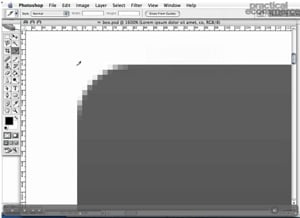
In a slightly more advanced tutorial, we start by creating the image assets we will need to create rounded corners in Photoshop. By first exploring the limitations of transparent GIF's, we then take advantage of transparency in the GIF format to achieve our effect. Once our images are created, we move on to tackling the CSS needed to render our effect in a browser.
Once finished, we will have created an HTML page element with rounded corners and a background image, giving us the tools we need to created complex website layouts using CSS.
Please feel free to download and review the additional files provided below.
Software Used: Adobe Photoshop CS2, TextMate
Additional Files: CSS_layout.zip
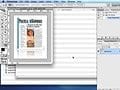
Click the image below to launch the tutorial. 
This video tutorial requires Flash Player version 8 or above. Please forward us your ideas for additional video tutorials, via our Contact Us form.
Blinklist | Del.icio.us | Furl | Ma.gnolia | Newsvine | Spurl | Reddit | Technorati
Published on Monday, July 02, 2007
Excellent Tutorial. It will certainly be put to good use.
Posted by: A Holding
Tuesday, July 03, 2007
Great Tutorial! You have done a great job a showing this technique. Thank you taken the time to post it.
Posted by: Smartdog
Tuesday, July 03, 2007
Great tutorial, Brian! I was wondering if you can use a 1px gif for the box background instead of the 500px x 156 "box_bg.gif" ? Anyway, thanks for the tutorial and please, please keep them coming...
Posted by: Guillermo
Wednesday, July 04, 2007
Love it... such beauty in simplicity... magnificent tutorial that's easy to follow. It's like watching magic unfold in CSS.
Posted by: Gabriel
Wednesday, July 04, 2007
Nice work! Simple and effective.
Posted by: Jim
Wednesday, July 04, 2007
Very COOL!!! Loved it!
Posted by: Gail
Wednesday, July 04, 2007
Your previous CCS layout tutorial is great and this new one the is the feather on the cap. I hope in future we will be benefited by Mr. Getting and Practical eCommerce.
Posted by: akram
Tuesday, July 10, 2007
Great tutorial, fast, clear, useable and helpful!
Thanx
Posted by: Jeroen
Monday, July 30, 2007
This was extremely helpful; after spending hours researching CSS only, CSS/Javascript, CSS/images based rounded box corners, your visual representation of what needed to be done in this video confirmed for me which way appears to be the most straightforward and anti-time consuming! I appreciate all your efforts.
Thank you!!
Posted by: Wolf
Wednesday, August 22, 2007
An extremely helpful tool .... very much truly stated by Wolf .... a wonder-weapon for webpage development!!
Posted by: Samit
Friday, September 28, 2007
Thank you so much; you are a really a good man......I salute you!
Posted by: greg
Tuesday, January 29, 2008
Again! Great tutorial! Not to fast paced! Perfect! When are we going to get more of these? I"m curious about CSS classes... ;) What they are, how they work, etc. :D
Posted by: Jordan P
Wednesday, April 30, 2008
Real cool stuff. Simplifying the complex!!I was just wondering what we should do if we need to to have a HORIZONTAL to be expandable
Posted by: Madhu
Thursday, May 01, 2008
css background examples , Properties , Attribute - - http://css-lessons.ucoz.com/background-css-examples.htm
Posted by: sezer
Tuesday, June 17, 2008
Thanks! I started messing with CSS yesterday, but I'm already finding this very useful to my learning.
Posted by: Drew
Tuesday, June 24, 2008
Copyright 2007 Confluence Distribution, Inc. and Practical eCommerce.
All Rights Reserved.
Awesome tutorial!! Extemely helpful that you showed the entire process from beginning to end! This is something I've had problems with and your technique seems relatively easy to apply.
THANK YOU!
Posted by: Vicki Garrison
Tuesday, July 03, 2007