


Artificial intelligence powers Google Ads. With the right data and prompts, AI helps advertisers get more from their accounts, from improving bid strategies to predicting searchers’ intent. Among the top time-savers, however, are tools for creative assets.
Common creative challenges for advertisers include:
- Finding the right images and sizes
- Editing existing images for greater appeal
- Creating engaging videos
- Trimming video length
Advertisers aren’t typically graphic designers or video producers. That’s the purpose of Google’s Asset Studio, where advertisers can quickly find and edit images and videos.
Create images
Google can generate images from a single descriptive prompt. An advertiser selling cushioned socks could state:
Create a variety of images that showcase comfortable, cushioned socks. The images should be a mix of close-ups, people in action with the socks, and product images.
I entered that prompt, received multiple images, and selected this one:

The first image of socks also contained a coffee mug with steam.
I prefer no coffee mug, so I prompted the tool to remove it and received this version:

The second version removed the mug but not the steam.
The steam remained. I then requested another edit and received another image, which I’ll use:

The final sock image has no mug and no steam.
Asset Studio also provides aspect ratios for easy resizing in other campaigns, such as Performance Max and Demand Gen.
Product images
Asset Studio can liven existing product images. For example, an advertiser selling a “GOAT” t-shirt could prompt:
Feature a man wearing this shirt walking on a sidewalk.
Here is the resulting image:

Asset Studio converted a static t-shirt image into a compelling lifestyle shot.
Videos from images
Videos are critical for engagement, yet many advertisers cannot easily create them. With Asset Studio, advertisers can upload a single photo to receive a 5-second clip or two photos for 10 seconds.
Advertisers can then customize the video with a template, key messages, and a logo. Asset Studio then places the completed version in the advertiser’s YouTube channel to use with all video-based campaign types.
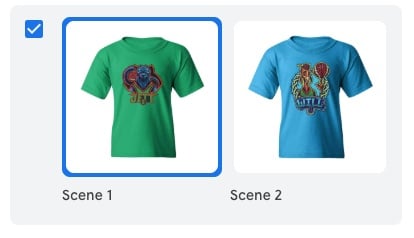
Advertisers can upload a single photo to receive a 5-second clip or two photos for 10 seconds.
Create videos
Advertisers can create videos from Asset Studio templates, which vary in length and asset type. Some templates require only text, though each includes default scenes to customize.
For example, scene 1 may require only a business name, while scene 2 requires expanded text. These videos won’t win awards, but they do fulfill inventory needs.
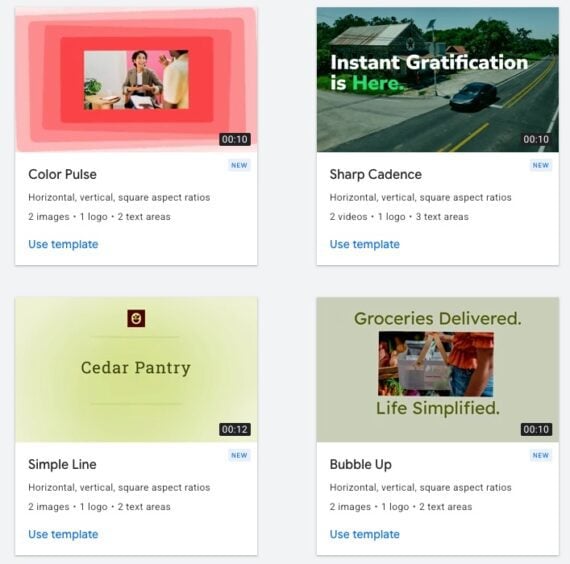
Asset Studio templates vary in length and asset type, with default scenes to customize.
Trim videos
Consumers’ attention is notoriously short. Generally, the longer the video, the fewer consumers engage with it. Hence shorter videos (that get to the point) typically perform better.
Via Asset Studio, advertisers can trim longer videos to any length or use the default options:
- 6 seconds (for bumper ads)
- 10 seconds (for non-skippable in-stream ads)
- 15 seconds (for non-skippable in-stream ads)
As with all AI, ensure the trimmed videos are brand-appropriate and accurately showcase your message.





 The Race to Own AI Shopping
 New Ecommerce Tools: September 8, 2026
 Google's Redirects Blur Search Rankings
 Influencers Mostly Skip Disclosure
 New Ecommerce Tools: September 2, 2026
 Branded Sites Are Vital for Merchants