


One of the best ways to get traffic to your website is through the use of social sharing buttons. The problem, however, is that while many social sharing options exist, their features vary. Some offer fewer sharing options, some only work on WordPress, and some require more technical expertise to install and configure.
Here is a list of 10 social sharing alternatives that I have tested and recommend. A few are plugins designed specifically for WordPress, but others can be used on almost any website.
1. ShareThis
ShareThis is one of the more popular social sharing options.
Used by thousands of sites, ShareThis is one of the most popular sharing tools. It is not limited to WordPress either. Practically any site can embed ShareThis buttons.
Many button styles are offered, small to large, and can display social reach numbers — i.e., the number of times a post has been shared. ShareThis also has one of the largest selections of social sites, including Facebook, Twitter, LinkedIn, Google+, StumbleUpon and many others. However, one drawback is that it does not support Pinterest.
ShareThis includes the capability for both static and “floating” sharing widgets, in either vertical or horizontal orientations.
2. Socialize
Socialize was designed to make managing and adding social buttons easy.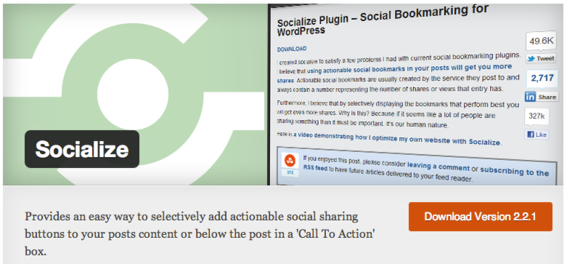
According to its website, Socialize — a WordPress plugin — was designed to make managing and adding actionable social sharing buttons easier and more efficient.
Buttons can be added either inside a blog post or in a box below. The box contains text that encourages readers to subscribe to the blog and leave comments. Additional text can be included, such as calls to action or product mentions.
Socialize offers 12 of the most popular buttons including Pinterest and Buffer, a relatively new app that enables readers to schedule sharing times in order to increase reach and visibility.
3. AddThis
AddThis functions in a manner similar to ShareThis.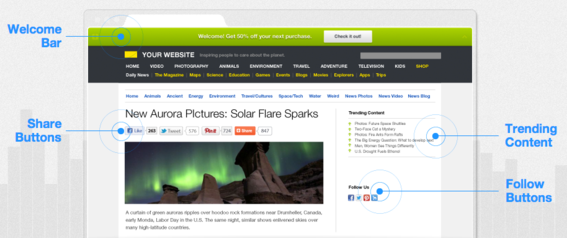
AddThis works on most any website, not just to WordPress. Buttons can be personalized to show users the services that they use most often, and integration with over 300 services — Facebook, Twitter, LinkedIn, many more — is available. AddThis also includes Pinterest as a sharing option.
4. Sharexy
Sharexy provides button customization and placement options.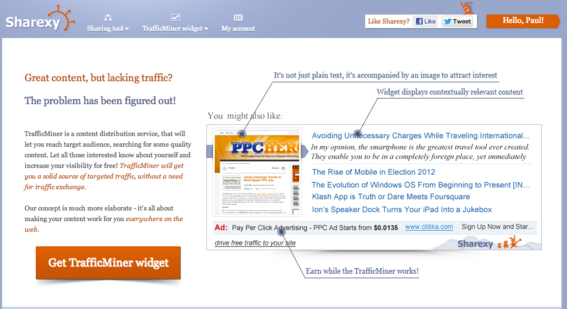
Sharexy gives users the capability to customize not only the look of sharing buttons, but placement either at the top or bottom of the post, as well. Users can choose from over 20 social networks to share with, and sharing via email is also included.
Like ShareThis and AddThis, Sharexy can be used on any type of site. A WordPress plugin is also available.
Sharexy offers both static or floating sharing widgets that can be positioned on the left or right hand side of the page, or at the top and bottom, depending on the user’s preference.
5. Digg Digg
Digg Digg is a WordPress plugin created by Buffer.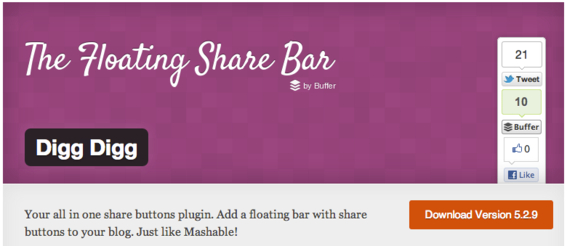
Digg Digg is a WordPress plugin created by Buffer. Users can display all the popular social sharing buttons such as Twitter, Buffer, Facebook (both Share and Like), LinkedIn, Google +1, Reddit, Pinterest and many others.
Customization choices include a floating bar that resides on either the left or right hand side of the page, or at the top or bottom of the blog post. Support for email and print are also included.
6. GetSocial
GetSocial is a WordPress plugin.
Another WordPress plugin, GetSocial gives bloggers the capability to add a floating social media-sharing box to blog posts.
It includes Twitter, Facebook Like and Share buttons, Buffer, Google+, Pinterest, LinkedIn, StumbleUpon, and Digg. A unique feature allows users to add their own custom buttons.
Buttons can be re-arranged in the order preferred by using simple drag-and-drop functionality. If desired, buttons can also show the number of share counts. Both static and floating versions are available.
7. Slick Social
Slick Social enables users to see sharing statistics via an admin panel.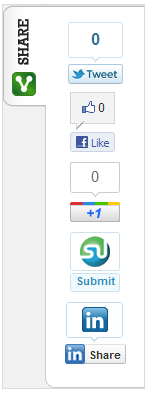
Slick Social, which is also a WordPress plugin, not only offers the same features and sharing capabilities as others on this list, but users can see summaries of sharing metrics via an administrative panel.
Buttons include Twitter, Facebook, Google+, LinkedIn, StumbleUpon, Digg, Buffer, Pinterest, and others. Users can also choose to select URL shortening for Twitter from several services: Bit.ly, Digg, Su.pr, and TinyURL.
8. Shareaholic
Shareaholic offers three different button styles.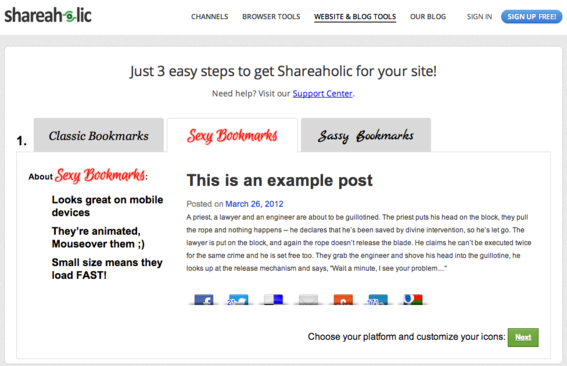
Shareaholic offers three different button styles: Classic, Sexy, and Sassy. The latter two are designed specifically with mobile devices in mind and, to add an element of interactivity, the “Sexy” version buttons animate when a reader mouses over them.
The buttons can be used on any website, and a WordPress plugin is available. Over 100 sites are supported, including Facebook, Twitter, LinkedIn, Google+, StumbleUpon, and Pinterest.
9. Sharebar
Sharebar automatically reorients from vertical to horizontal positions.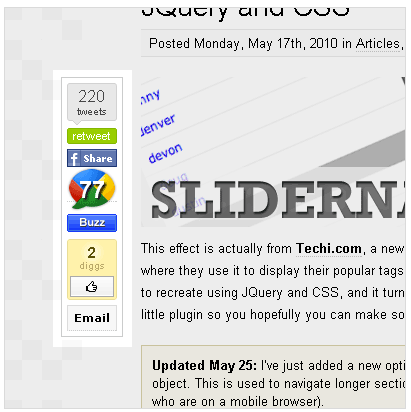
WordPress plugin Sharebar adds a fully customizable vertical box to the left of a blog post that contains buttons to popular social networking sites. If the page is resized below 1,000 pixels, the vertical bar disappears and a horizontal sharing bar appears under the post title.
Larger buttons are used in the vertical bar, while the small buttons are used in the horizontal version.
10. Social Media Widget
Social Media Widget includes support for RSS and email.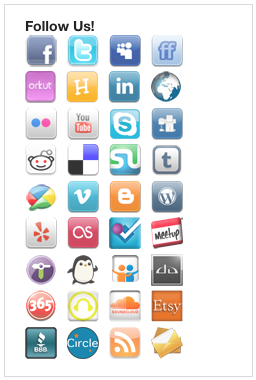
Social Media Widget allows users to input their social media website profile URLs and other subscription options to show an icon on the sidebar.
It supports many of the same social media sites as others on this list, but also includes support for Orkut, Friendfeed, Flickr, Picasa, Pandora, iTunes, and many others. RSS subscription and email sharing are included, as well.
Social Sharing Best Practices
Sharing works best when the buttons are located in a way they can be easily spotted by site visitors. Here are a few social sharing dos and don’ts.
Do
- Choose a prominent position (top of the page is best).
- Place sharing near the content being shared.
Don’t
- Do not put sharing in the site navigation.
- Avoid putting sharing only in the post footer or below the fold.
- The sidebar is not optimal for sharing.
Conclusion
Try several of these to find the one that’s right for you. Regardless of which you choose, do not ignore social sharing. It is one more way to increase site traffic, reach, and exposure within social networks.




 Retail Media's Opportunity Cost
 New Ecommerce Tools: October 7, 2026
 New Ecommerce Tools: October 21, 2026
 New Ecommerce Tools: October 14, 2026
 Guardrails for Google Ads AI
 Desktop Habits Hide Mobile Friction