Manage Subscriptions · Subscribe Now · F.A.Q.'s
HOME · Thursday, May 22, 2008
By: Brian Getting
Comments: 11
Learn how to create a simple RSS feed in this tutorial by Practical eCommerce's Online Director Brian Getting. Walk through creating the XML file needed to establish a syndicated feed, and a look at the minimum tags, or feed elements, required to have a meaningful feed. No explanations of technologies, no theories, just a straight-forward example of an RSS feed that you can have up and running on your site in minutes, or use as a template for creating more advanced feeds.
This tutorial is intended for website developers that are beginning with RSS feeds. A basic understanding of markup languages, XML and website file management are assumed. Please submit any questions or comments to this tutorial in the "comments" section below. This is the first video tutorial from Practical eCommerce, and we're interested in your feedback on the helpfulness of this feature, and we welcome suggestions on future video tutorials.
Software Used: Adobe Dreamweaver 8
Sample Files: RSS 2.0 Feed Template
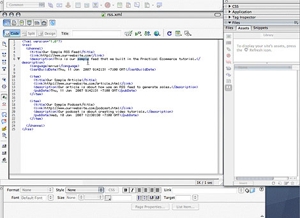
Click the image below to launch the tutorial
This video tutorial requires Flash Player version 8 or above.
Blinklist | Del.icio.us | Furl | Ma.gnolia | Newsvine | Spurl | Reddit | Technorati
Published on Wednesday, January 10, 2007
Great tutorial; thorough, detailed, and informative. The explanation on each line item helps to understand the overall intent. Keep em coming!
Posted by: Christian Markley
Thursday, January 18, 2007
Re: the date you are correct. It appears that I put an extra space in there somewhere. This date format is strict, and I think its important to refer to feedvalidator.org to ensure that you put the date in the right format. Atom feeds, for example, require a different strict format. Aside from character encoding, this is the other tricky part to creating RSS feeds.
Posted by: Brian Getting
Saturday, January 20, 2007
After a bit of "validation" on feedvalidator.org I finally got it to work. Apparently the date was not formatted correctly.
Posted by: Linda
Tuesday, January 23, 2007
Alternately, should you have an interest to submit feeds in the newer, Atom 1.0 format, there is a fully detailed howto at this URL.
http://starling.us/atom
In addition to simple markup, this tutorial will be kept up-to-date on such things as browser quirks, presentation using XSLT stylesheets and sorting via Perl/CGI.
Posted by: Gan Uesli Starling
Sunday, February 18, 2007
Great tutorial! Thank you!
Question(s): What's the difference between a podcast and an RSS feed? I've noticed in IE7 that I can't select anything other then IE7 to view an RSS feed, is there a work around so I can keep Microsoft from dictating to my users what software they'll use? Also, in Firefox, the RSS feeds I create will open the iTunes app, but don't download unless I go tools/subscribe to podcast and paste the link in...
Any help would be AMAZINGLY appreciated!
Posted by: Bob Edwards
Friday, March 09, 2007
A podcast is an audio file (or a series of them, like a radio show) that people can download freely. Podcasting utilizes RSS feeds, however, as a way to make sure that people can stay updated with new episodes. There is a specification for and iTunes RSS feed, which has proprietary tags but is also recognized by many other websites and podcasting tools. You can see the iTunes RSS feed specification here:
http://www.apple.com/itunes/store/podcaststechspecs.html
As for what tools to use to access RSS feeds, it depends on what you want. IE7 has RSS reader capabilities, as other browsers have had for a while. If you want to use Firefox to access a feed, you could do that. Otherwise, there are a ton of other RSS reader and news aggregator applications available. Not to mention that you can use Yahoo!, Google, MSN, and other web based services to subscribe to RSS feeds and track web content.
As for your iTunes links, you should get a link from Apple when your podcast has been accepted into their directory. It will probably start with "http://phobos.apple.com/WebObjects/" and so on. That link will open iTunes and open up the page in the iTunes store for your podcast. The user will still need to click "Subscribe" to subscribe to your podcast.
Hopefully this helps.
Posted by: Brian Getting
Friday, March 09, 2007
Great tutorial, I had absolutely no idea about RSS feeds and know I understand a lot more about them and will soon try it out. Big fan of your tutorials and keep up the great work.
Posted by: Juan
Sunday, August 19, 2007
Great tutorial,
This is a great educational tool for learning about the basics of RSS feeds. It is very informative, detailed, and easy to understand. Thank you.
Posted by: Darrick
Sunday, September 02, 2007
Hello, I do not have Dreamweaver. Can I use a simple .txt file? What would the process be from there?
Posted by: Michelle
Friday, April 11, 2008
Thanks for the awesome tutorial. This is jst what I was looking for.
Posted by: Harsh Madhiwalla
Wednesday, May 21, 2008
Copyright 2007 Confluence Distribution, Inc. and Practical eCommerce.
All Rights Reserved.
I just viewed the tutorial and it seems easy enough, I'm excited to try it out. Thanks for the detailed instructions.
Posted by: Linda
Thursday, January 18, 2007