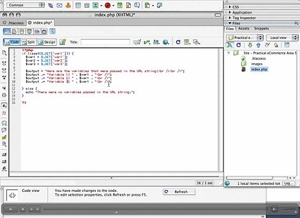
Get started using Mod_Rewrite to clean up your website's dynamic URLs with this video tutorial presented by Practical eCommerce's online director Brian Getting. We'll look at using simple Mod_Rewrite commands in an .htaccess file to get rid of those ugly dynamic URLs that look like this:
http://www.sample-website.com/index.php?id=435&type=ugly%20urls&why=I%20do%20not%20know
By the end of this tutorial, you'll have a better understanding of what it takes to make an ugly, dynamic URL like the one above into a clean, search engine friendly URL like this:
http://www.sample-website.com/435/nice/clean/url
We start by creating a simple PHP script that will gather variables from the URL string and output them, which will allow us to verify that our Mod_Rewrite changes are working properly. From there we move on to re-mapping URLs using Mod_Rewrite directives in our .htaccess file.
This tutorial is intended for website developers that are hosting websites on servers running Apache web server with Mod_Rewrite enabled, and access to their website's .htacess file. Please contact your hosting company for more information about your account. A basic understanding of server-side scripting and website administration is assumed.
Software Used: Adobe Dreamweaver 8
Required Server Software: Apache Web Server w/ Mod_Rewrite enabled
Sample Files: mod_rewrite_1.zip
View Tutorial
This video tutorial requires Flash Player version 8 or above. Please forward us your ideas for additional video tutorials, via our Contact Us form.
Friday, February 09, 2007 · 01:36 PM
Hello, perfect tutorial, but I have one question, if I try www.something.com/john to rewrite on www.something.com/index.php?user=john it doesn't work. I tried anything, for example RewriteRule ^(.)$ index.php?user=$1 [nc] but it returns index.php, but i need to return john. I tryed the direct url RewriteRule ^http://www.something.com/(.)$ index.php?user=$1 [nc] but it still doesnt work. The address with www.something.com/john/ working, because I put this (.*) / to rewrite script. Please somebody to help me with the line code.
-- Filip Pavlis
Wednesday, March 07, 2007 · 07:19 PM
Filip,
You need to put it out at least one directory, otherwise it runs through a loop where any address at your site (since they all pass the RewriteRule test) generates a call back to the index page, passing everything after your domain name along as a variable. That's why you get the output that you are getting.
Try doing something like this, which should work:
<font face="courier">RewriteRule ^users/(.*) index.php?user=$1</font>
-- Brian Getting
Monday, June 04, 2007 · 12:33 AM
this did present one problem for me. I use local values for displaying links and images in my html code. Having my urls as such:
http://www.mysite.com/view/1234
is telling the site to look for images in view/1234/images instead of /images.
Is there a simple solution for this that wont require changed the src to each image and link on my site?
-- josh
Friday, August 24, 2007 · 02:12 PM
John- If your URL is something along the lines of:
/mysite/john_smith
You will want to have the value of "johnsmith" passed as a variable ($1) to the script that is accessing that information. The script should then go through and automatically replace the "" with a space (" ") using something like .gsub (for Ruby). Then the database is queried for the user's name. In most cases, as I imagine it, you will have a first name and last name column in the database, so you would actually want to split the name at the underscore, and query the database for the user with that first and last name combination.
Hope this helps some.
-- Brian Getting
Wednesday, October 03, 2007 · 12:10 AM
Brian's solution won't work as he suggested to change images src to 'images/mymage' to /images/myimage' .
For example, if my site is http://localhost/mysite and I change image src to "/images/myimage", then image src would be http://localhost/myimage instead of http://localhost/images/myimage. This also applies to style sheet,javascript.
Is there any other solution through .htacces?
-- netmastan
Tuesday, October 09, 2007 · 05:48 PM
Oh man...nice tutorial... and all that works, but how can i make to actually work with a real website?
do i have to replace index.php
for something else?
what i mean i'm only getting the:
out variables
#
The following variables were passed in the URL string:
Variable 1: $1
Variable 2: $2
Variable 3: $3
Variable 4: $3
Your mod-rewrite script seems to be working fine.
#
what is the step to make work
i tried all this rules in my .htaccess
RewriteRule ^ppc/(.*)/ index.php?var1=$1&var2=$2&var3=$3
RewriteRule ^ppc/(.*)/ index.php?ppc=$1
RewriteRule ^abc/([^/.]+)/?$ index.php?var1=$1&var2=$2&var3=$3 [L]
#
http://www.example.com/abc/index.php?var1=$1&var2=$2&var3=$3
it suppose to go to www.example.com/ppc/var/1/var2/var3 and so on
why is not working?
please some one help.
can some one help
thanks.
-- juan
Connect with us