


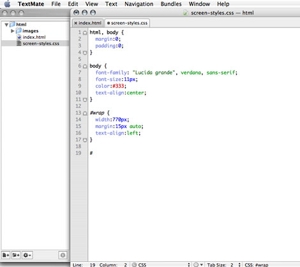
 Designing search engine friendly websites can be intimidating, particularly for designers who are just learning how to use CSS formatting. One of the most intimidating aspects to learning CSS design is creating page layouts that do not rely on tables. In the first of a two-part video tutorial by Practical eCommerce’s online director Brian Getting, we will look at some of tricks and techniques used to create flawless CSS page layouts.
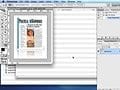
In Part One, starting with a Photoshop layout, we will look at how to markup an HTML document based on our design needs, and create the proper code we will need to get the results we are looking for. Once we have our markup in place, we finish Part One by using CSS to create a formatted two-column page layout that does not rely on tables or other non-compliant code.
Once we achieve a lean, efficient layout, we will find ourselves ready for Part Two, where we will learn how to apply graphics and visual styling to our layout in order to match it up to our Photoshop document.
Please feel free to download and review the additional files provided below.
Software Used: Adobe Photoshop CS2, TextMate
Additional Files: CSS_layout.zip
View Tutorial
This video tutorial requires Flash Player version 8 or above. Please forward us your ideas for additional video tutorials, via our Contact Us form.



 How Reddit Drives GenAI Visibility
 For Brands, AI Is the New Shelf Space
 FAQs for Google's 'Preferred Sources'
 How Content Marketers Misuse GenAI
 New Ecommerce Tools: June 3, 2026
 Cautious Shoppers Reward Clear Value

 SEO for AI, Low Traffic, No Clicks