


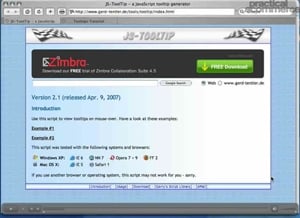
 You’ve probably seen those useful “tooltips” text boxes that are displayed on some websites when you roll over a specific link or graphic. These typically serve several purposes. Most likely, your customers or visitors could benefit from additional information that doesn’t warrant an entire page or even another trip to the server. Or perhaps you are developer creating a complicated application, and some simple tool tips and help icons, strategically placed, would improve the usability. This simple tutorial illustrates how to use the ToolTips script.
Software Used: TextMate
Additional Files: tooltip_tutorial.zip
Click the image on the left to launch the tutorial.
This video tutorial requires Flash Player version 8 or above. Please forward us your ideas for additional video tutorials, via our Contact Us form.



 AI Shopping Could Mean Fewer Returns
 New Ecommerce Tools: September 30, 2026
 Don’t Make Them Count
 Retail Media's Opportunity Cost
 New Ecommerce Tools: October 7, 2026
 New GSC Image Filter Aids Product Discovery