Not is only a site’s load time factored into its search-engine rankings, the longer it takes to load the more likely it will lose visitors. A large percentage of bandwidth usage — especially for ecommerce sites — comes from images. As such, image size is an important component of a site’s speed. This article will explain ways to optimize images for improved load times.
File Types
The first and simplest thing to consider when optimizing images is file type. Certain image file types are better suited for specific images. For example, JPGs are best suited for photographic images. PNGs, on the other hand, are best suited for simple images with few colors or for images using transparency. 24-bit PNGs are best suited for images containing both photographic elements and simple graphics. 8-bit PNGs can further reduce file size in images with fewer than 256 colors.

Use JPGs for photographs.

Use PNG-8 for simple images.

Use PNG-24 when simple images and photographic elements are combined.
There are other images formats like TIF, GIF, and SVG that can be used. But the majority of web graphics is JPG and PNG. A basic rule of thumb is to use JPGs for anything photographic and PNGs for everything else. If you’re in doubt about which file type to use, try saving the same images as both a JPG and PNG and then compare quality and file size.
Saving Methods
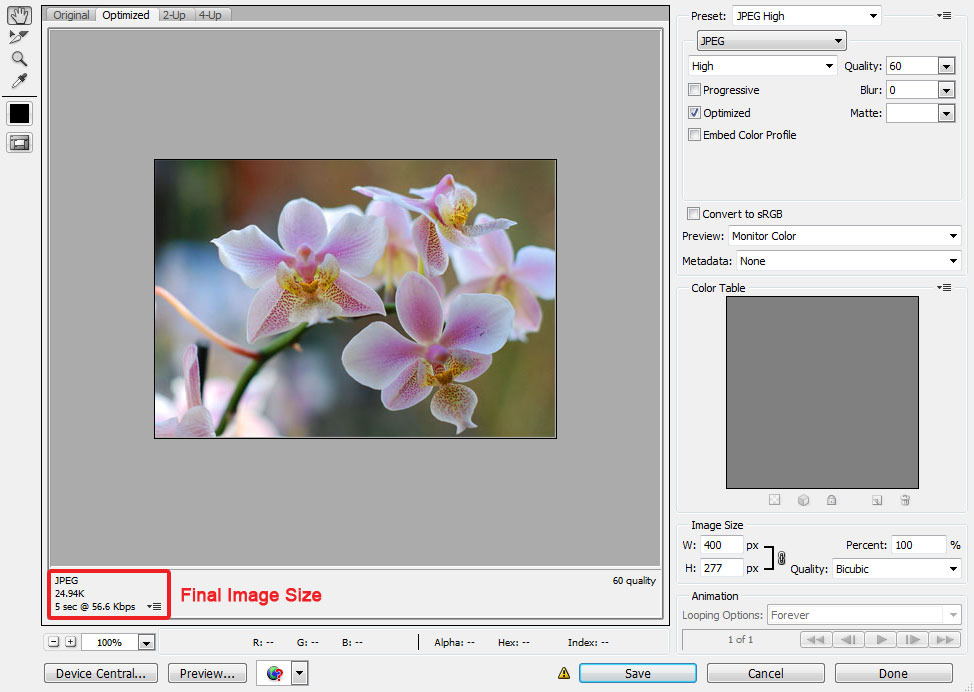
Another important consideration for image optimization is the method of saving it. Many applications provide optimization options like compression, metadata (i.e., size, resolution, and date created), and color profiles when you save images. If you use Adobe software for image editing, use the “Save for Web & Devices” dialogue box when optimizing your images.
When using that “Save for Web & Devices” dialogue box, you can preview what images will look like once they are compressed, edit metadata, adjust image size, and preview the file size of the image. This allows you to easily compare how large of a file will be created if you save as a PNG-8, PNG-24, or JPG file type.

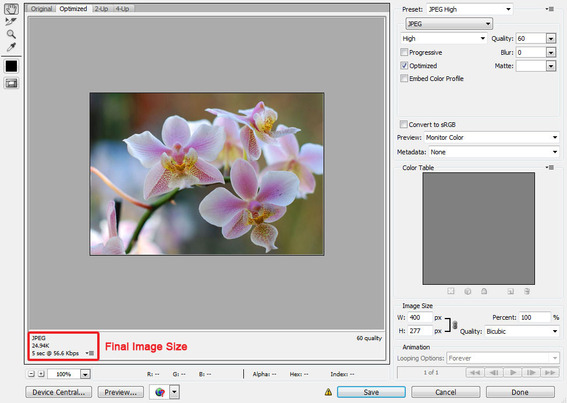
“Web & Devices” preview in Adobe software products.
“Save for Web & Devices” also allows you to convert your image to a web-ready sRGB color mode. Occasionally you might be working with an image using a CMYK color mode, or a color mode optimized for print. Because CMYK color modes use four colors (cyan, magenta, yellow, and black) compared to RGB’s three colors (red, green, and blue), saving in the CMYK color mode adds slightly to image file size.
If you don’t use Adobe software for image editing, consider using RIOT — Radical Image Optimization Tool. RIOT is a freeware application for Windows that allows image optimization for JPG, GIF, and PNG images. RIOT can compress images, remove metadata, and adjust image color to reduce image file size.
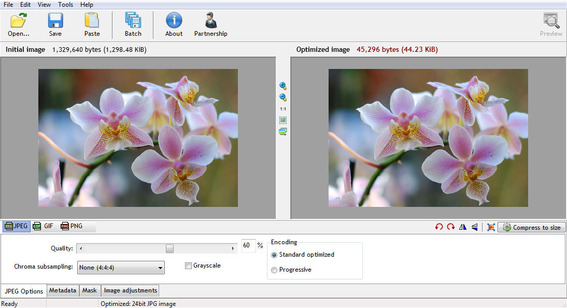
RIOT is a freeware, Windows application that helps optimize images.
Image Resizing
Saving an image in the correct dimensions is always better than having the browser resize it. If a browser resizes a 1024×1024 pixel image to 250×250, the user is still downloading the larger 1024×1024 size. Be sure to upload images as the correct size rather than relying on a browser to resize them.
Using One Image Multiple Times
Another way to reduce image bandwidth is to use the same images multiple times throughout a site. For example, the same logo, menu image, and header can be used on every page of the site. This means users only have to download the image once and their browsers can then display the image from the browser cache when they view other pages.
You can also optimize some background images in a similar way. For example, if you are using a textured background, you might be able to create a smaller, repeating image instead of a single large image. The same can apply to gradient background images.
Sprites and Preloaders
A helpful practice for reducing load time is the use of CSS sprites, which are CSS codes that display a piece of a larger image. This technique is often employed for mouse-over states on buttons. For example, with a sprite you can display a piece of an image as a button on your site and display a different piece of that image as the button whenever a user mouses over it.
Though sprites are frequently used for interactive menus and buttons, they can also be used to display multiple site images from a single image file. This would require the browser to only download one image instead of, say, three or four.
In addition to sprites, images can be preloaded using JavaScript, jQuery, Ajax, or CSS. When an image is preloaded, the browser downloads or “preloads” the image and then instantly displays it when the user goes to access it. Preloading can greatly decrease load times with image heavy websites, especially sites with photo galleries.
Using CSS Instead of Images
Sometimes the best way to decrease image load time is not to use an image at all. Improvements to CSS have made it possible for the browser to render certain “images” using pure CSS. It is now possible to generate rounded rectangles, gradients, drop shadows, and transparent images using CSS. Be warned, every browser won’t always support these techniques and browser compatibility should be carefully considered before replacing an image with CSS.





 AI Shopping Could Mean Fewer Returns
 Shopify Opens to Meta Muse; Amazon Balks
 New Ecommerce Tools: September 30, 2026
 Don’t Make Them Count
 New Ecommerce Tools: October 7, 2026
 Retail Media's Opportunity Cost