


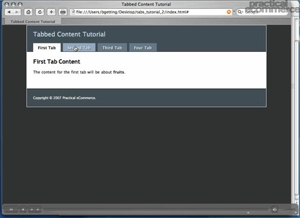
 Tabbed content appears more and more frequently in web pages, and is an interesting way to simultaneously save page space and effectively present information. In part two of this two-part tutorial on creating tabbed content, Practical eCommerce’s online director Brian Getting illustrates how to utilize JavaScript to get our tabbed effect working. View Part 1
Software Used: TextMate
Additional Files: tabs_tutorial_2.zip
View Tutorial
This video tutorial requires Flash Player version 8 or above. Please forward us your ideas for additional video tutorials, via our Contact Us form.



 Contribution Margin Guides Ecommerce Growth
 The Race to Own AI Shopping
 Google's Redirects Blur Search Rankings
 Influencers Mostly Skip Disclosure
 New Ecommerce Tools: August 26, 2026
 New Ecommerce Tools: September 2, 2026