


Google Search Console is the most reliable way to evaluate a site’s organic search visibility.
Unfortunately, the Performance reports are often confusing for busy executives who lack optimization expertise. A frequent example is the “Average position” metric.
I’ll help clarify in this post.
Overall Average
I’m regularly asked, “Why is my average position so low?”
The term refers to the overall average position as shown at the top of the Performance report. It’s the aggregated position of your site across all ranking queries. Google’s search results typically show 10 organic listings per page. Thus an average position of 25 suggests an average ranking on page 3.
The theoretical best ranking is 1; I’ve not seen anything worse than 100. Average position provides little insight, which is why I typically recommend ignoring it.
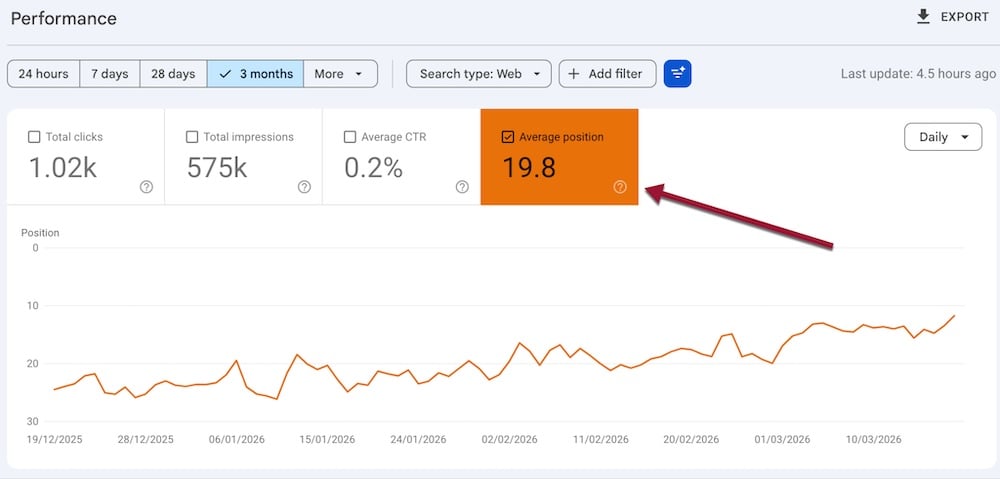
Search Console’s “Average position” aggregates all queries.
Query Average
Scroll down the Performance report for the average position for each query. This number represents the average position of a URL across all searchers for that term.
Suppose two people searched Google using the same word or phrase. If a URL appeared in position 1 for one user and position 2 for the other, Search Console’s reported average would be 1.5.
Search Console shows an average query position only if a human or AI bot views it.
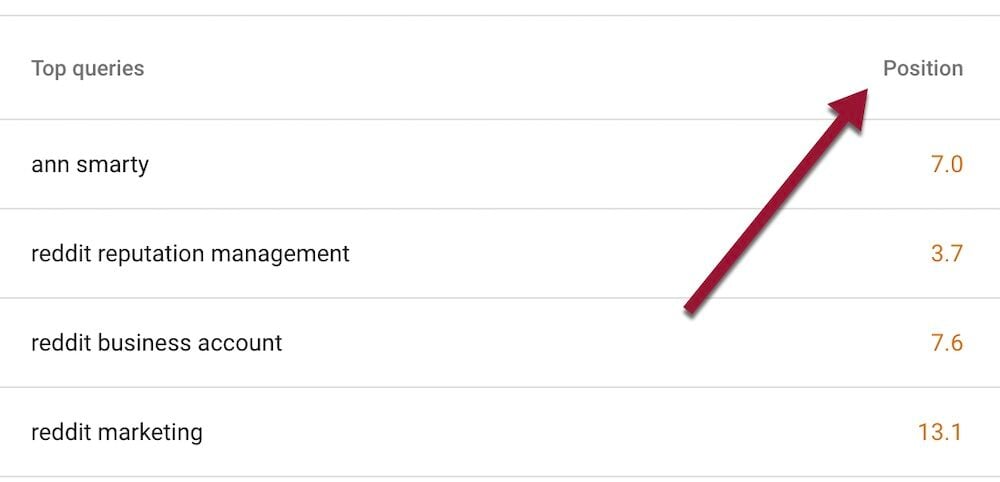
The average position for each query represents all searchers for that term.
Topmost positions
Per Google, each organic result equals one position, as does each special element, such as AI Overviews, image packs, and People also ask. (Search result sections with no external links occupy no position, nor do ads.)
So a page’s average position is 2 if it ranks 1 organically for all searchers but doesn’t appear in a top image pack.
Conversely, the page would be in position 1 if it appeared in that top image pack, but in position 2 organically. That’s the case in the screenshot below for Giphy.
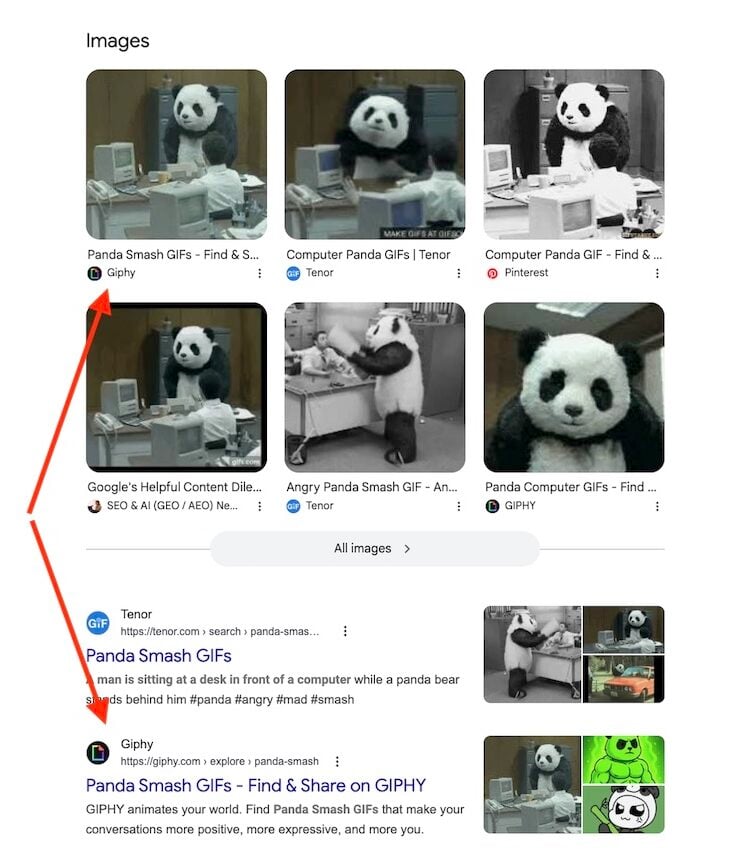
Giphy appears in the top image pack, but at position 2 in organic listings.
URLs in special sections
All URLs in a special section have the same average position. In the image above, all URLs in the image pack have an average position of 1.
Similarly, all URLs cited in an AI Overview at the top search results have an average position of 1.
Cannot verify a position
URLs in search results are not always obvious. For example, a URL may appear in the lower portion of an AI Overview after other citations, or cited in a “People also ask” box visible to a searcher only after clicking the question.
Moreover, Search Console can report a position that differs among users for several reasons.
- URLs appear only in select views, such as those visible in Google Chrome but not Firefox.
- An AI Overview included a URL only for select users. Citations in AI Overviews are fluid and often differ among searchers.
- Personalization. Users’ searches can disproportionately include their own sites due to personalized results. To avoid such results, depersonalize searching.
Positions vary by device
Google often orders mobile and desktop search results differently, such as excluding special sections on mobile browsers.
Search Console shows desktop data by default. Switch to the mobile performance report by clicking “Add filter” > “Device” > “Mobile.” Select “Compare” for average positions across all devices.
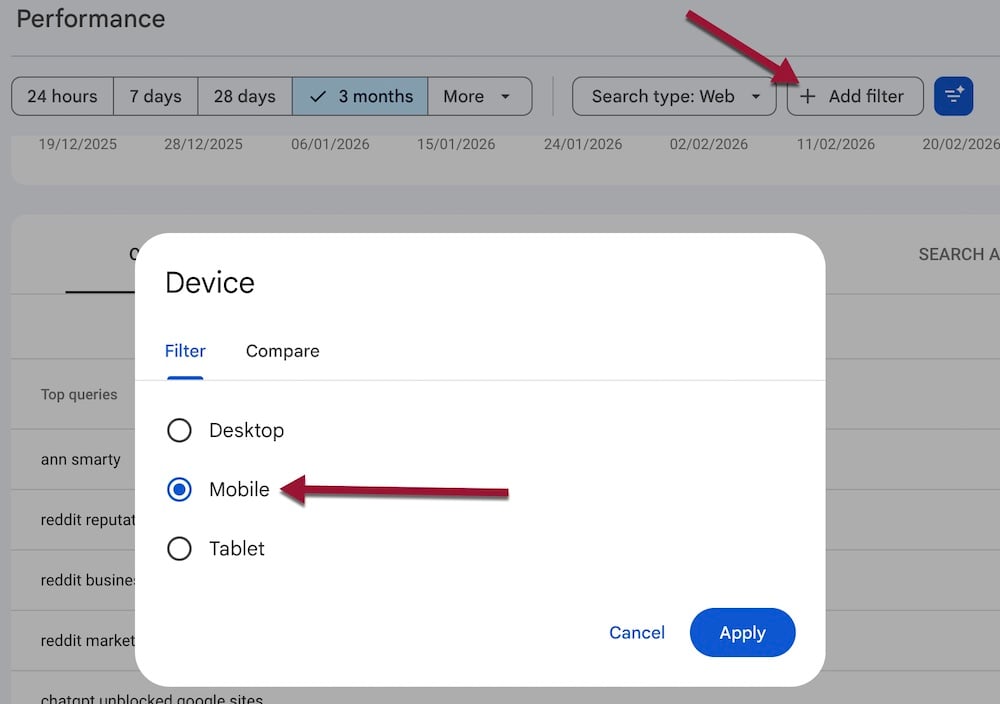
Switch to the mobile report by clicking “Add filter” > “Device” > “Mobile.” Select “Compare” for all devices.





 AI Shopping Could Mean Fewer Returns
 Shopify Opens to Meta Muse; Amazon Balks
 New Ecommerce Tools: September 30, 2026
 Don’t Make Them Count
 New Ecommerce Tools: October 7, 2026
 Retail Media's Opportunity Cost