


Yahoo! Pipes is a free content manipulation service that lets you mix and mash up web content using a visual editor that doesn’t require any code writing experience.
The Pipes service has been around since February 7, 2007, and is the primarily the work of then Yahoo! Engineers Pasha Sadri, Ed Ho, Jonathan Trevor, Kevin Cheng and Dainial Raffel. The service, according to the official Yahoo! Pipes blog, is intended to be “a hosted service that lets you remix feeds and create new data mashups in a visual programming environment.”
Pipes for Ecommerce
There are a couple of ways that the Pipes service can be helpful for online retailers. First, it can be used to collect intelligence about industry trends or even competitive pricing. Second, Pipes can be used to place aggregated content on a retailer’s site.
As an example, one of the featured the services featured pipes, eBay Price Watch, monitors eBay, searching for products that fall into a given price range.
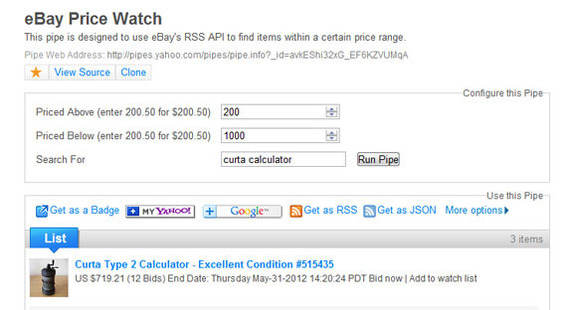
The eBay Price Watch Pipe, which Ed Ho created, monitors items on the popular auction site.
Creating a Pipe
Yahoo! requires registration to use Pipes. Once a user is logged in, clicking the relatively large “Create Pipe” button on the home page launches the service’s visual editing tool. The tool has navigation on the top and left side. The main section of the tool looks like a piece of virtual graph paper.
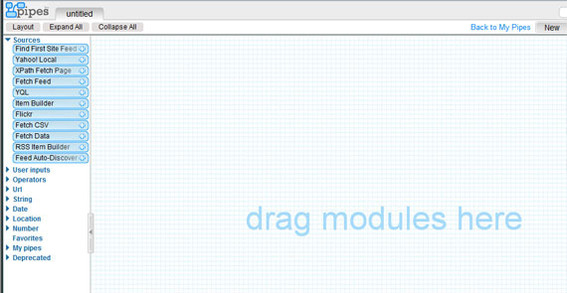
The visual editor looks something like a piece of virtual graph paper.
To name the newly created — and at this point empty — Pipe, click the word “Untitled” in the upper left, type in the Pipe’s name, and click “OK.”
The navigation on the left side of the page lists several available modules. The modules are arranged into categories, including:
- Sources. “These modules grab data from somewhere on the Internet and bring it into your Pipe for processing,” according to the Pipes website.
- User Inputs. “These modules let you define parameters for your Pipe. These inputs can be fed into other modules in your Pipe.”
- Operators. “These modules transform and filter data flowing through your Pipe.”
- URL. “This module gives you explicit control over how a URL is constructed.”
- String. “These modules are for manipulating strings, which are sections of text.”
- Date. “This group of modules lets you define and redefine how dates are formatted.”
- Location. “This module converts written text into a location.”
- Number. “This module provides basic arithmetic operations.”
Most new Pipes will start with a source. If you know the URL to the source RSS feed, choose “Fetch Feed” from the left-hand navigation, dragging it onto the graph. The Fetch Feed module will immediately ask for a URL and create a Pipe Output.
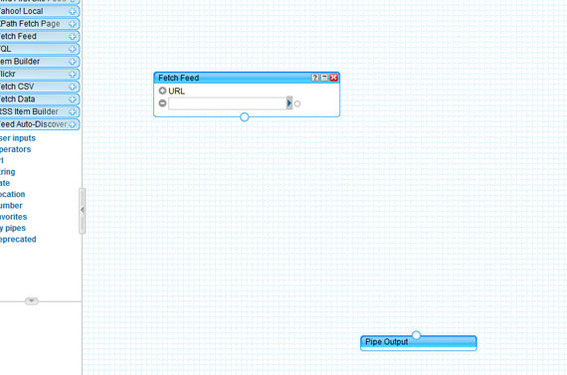
The Fetch Feed module creates a Pipe Output and seeks to find a source.
Clicking the small arrow at the end of the URL field, will send Pipes in search of the specified RSS feed. Once the feed is located the Fetch Feed box — for lack of a better term — changes color. Grabbing the circle at the bottom of this box allows the user to connect the RSS feed to the Pipe Output. The titles from the RSS feed’s items are displayed in a debugger at the bottom of the interface.
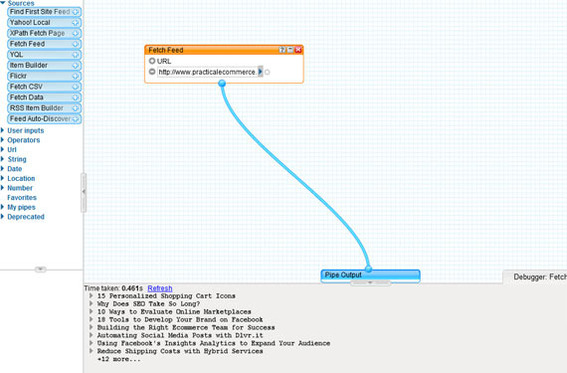
Everything in Pipes is managed in a visual way.
Back in the Fetch Feed dialog box, a second RSS feed may be added. Simply click the plus sign next to the work URL. A second URL field will appear, and the new RSS feed URL may be pasted in place. Now the new Pipe is aggregating items from two distinct feeds.
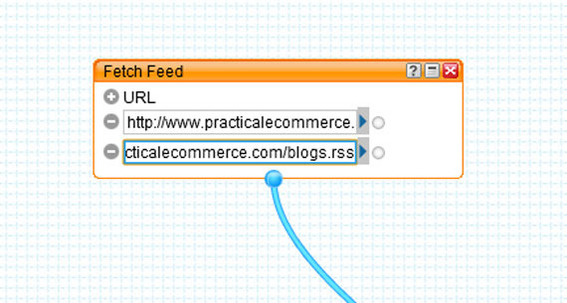
The Fetch Feed module can pull from several RSS feeds.
Moving to the Operators modules in the left hand navigation, a filter may be applied to the Pipe. In the example, the Pipe will be excluding any items with titles that contain the term “SEO.”
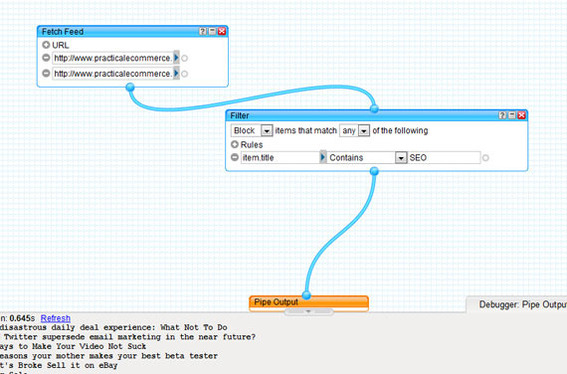
Filter can be added to alter the Pipe output.
To save a feed, simple click “Save” in the upper right. Once the Pipe is saved, it can be located under My Pipes on the Pipes website, and even published. For example, the Pipe created for this article is available for anyone to see.
Finally, the pipe can be added to a website as a Pipes Badge. Simply click the “Get as a Badge” link from the Pipe’s page to get the embed code necessary to add the Pipe to any website.
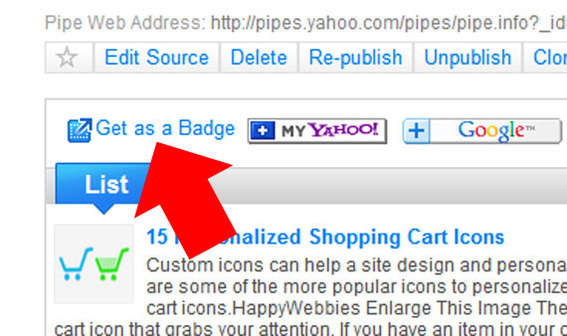
The Get as a Badge link is the key to posting Pipe output to any website.
Summing Up
The example feed could be used to stay up-to-date about trends in ecommerce. Using similar techniques, Internet merchants can create any number of Pipes that collect articles, seek out business intelligence, or provide content from product detail pages.
Pipes may also be used to open and read spreadsheets, interact with web services, and output RSS feeds for others to use.





 Retail Media's Opportunity Cost
 New Ecommerce Tools: October 7, 2026
 New Ecommerce Tools: October 21, 2026
 New Ecommerce Tools: October 14, 2026
 Guardrails for Google Ads AI
 Desktop Habits Hide Mobile Friction