


The continued growth of Google+, along with an increased understanding of the nature of the platform, has caused many companies to establish a presence there. Google has also positioned Google+ as a channel businesses can use.
With that in mind, here are 10 ways you can take advantage of what the platform has to offer.
1. Create a Google+ Page
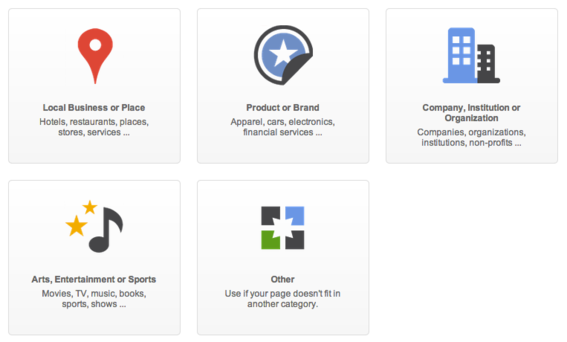
A Google+ Page is your company’s hub inside the social network.
A Google+ page is your company’s hub within the network. Not only that, its presence can have a positive bearing on search returns.
According to Google, when people search for your business on Google, they can get information from your Google+ page on the right-hand side of their search results. When people who follow your page search for information relevant to your business, content you’ve shared may appear in search results.
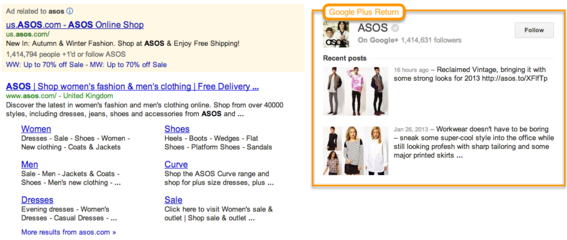
Example of Google+ return in search results.
I outlined the steps required to set up a Google+ Page in “How to Create a Google+ Business Page.”
Note that you must first have a Google+ profile in order to set up a page.
2. Connect Your Google+ Page and Website
Link Google+ to Your Website
Link the page to your website by installing a snippet of code to improve the likelihood that your Google+ content will appear in search results. This lets Google know that your website is associated with an official Google+ page.

Snippet of code to add to website.
Another way to connect a Google+ page to your site is to add the Google+ Badge, which allows visitors to “+1” or share your content and follow your Google+ page directly from your site.
Add a Google+ Badge to your website.
Link Your Website to Google+
Take the following steps to link to your website from your Google+ page.
- Go to the Google+ page you’d like to edit.
- Click the profile icon.
- Click “Edit Profile.”
- Click “Website.”
- Type your homepage URL.
- Click “Save.”
3. Add Social Extensions to Google Ads

Social extensions +1 annotations to Google AdWords ads.
Social extensions — also referred to as “page endorsements” or “+1 annotations” — gain visibility for your business by featuring customer recommendations in your Google AdWords campaigns. According to Google, this can increase your ads’ average click-through rate by 5 to 10 percent.
By default, AdWords ads that appear on Google or the Google Display Network all have a +1 button. With social extensions, a +1 on your ad applies to your Google+ page. All +1’s from your Google+ page are also applied to your AdWords ads.
Take the following steps to enable social extensions in an AdWords campaign.
- Click “Ad extensions,” and then change the view to “Social extensions.”
- Click “New extension” and enter your Google+ page web address.
- Click “Save and continue.”
4. Connect with Customers Using Google+ Hangouts

Hangouts enable face-to-face interaction with customers.
Google+ Hangouts enable you to host a video chat with up to nine other people. Hangouts make it easy to connect with customers face-to-face.
Two of the most popular ways Hangouts can serve business interests include customer appreciation events and customer feedback sessions.
Another feature called “Hangout on Air” allows you to live-stream and record your Hangout, and then make it publicly available for anyone to view via Google+ or YouTube. This could be useful for new product launches, product demonstrations, interviews with experts, and as a way to reach new customers.
5. Post Routine Content
Post interesting content on a routine basis to keep your followers engaged. Each post appears in your followers’ streams and provides them with more opportunities to interact with you. It’s also a good way to keep your business top of mind with customers. Google recommends posting at least every other day.
Types of posts include:
- Questions
- Polls and surveys
- Exclusive promotions
- Product photos and videos
- New product announcements
- Inspirational quotes
- Links to content from other pages and followers
Social media management platforms such as HootSuite enable users to post directly to Google+, which prevents the need to visit the site itself in order to do so.
6. Promote Your Google+ Page
To build a follower base, it’s important to promote your page in a variety of ways. Mention your Google+ page in email broadcasts, add the +1 button to product pages, include a link on product receipts and email signatures, and reference it in offline promotions such as direct mail.
7. Interact with Pages and People
The best way to get your followers to engage with you is to engage with them. When someone comments on your post, be sure to respond in a timely manner. It’s also helpful to follow those who follow you.
In addition, a Google+ page can add other pages to circles (see #7). A good practice is to follow other relevant, non-competitive businesses, as well as businesses with customers similar to yours. The more you engage with these pages, re-sharing and commenting on posts, the more visibility you will get in their followers’ streams.
8. Segment Your Audience Into Circles
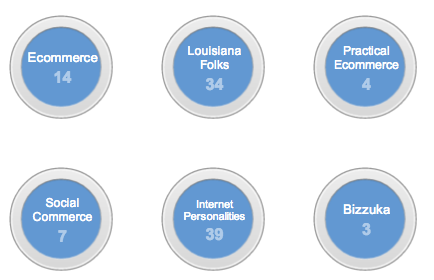
Merchants can segment followers using circles.
Circles is a core component in the Google+ platform that enables you to segment followers by geography, gender, age, or whatever criteria are important to your business.
When posting content, choose circles that would have the most interest and be more likely to respond. Note that people must first add your business to their circles before you can add them to your own.
9. Launch a Google+ Community
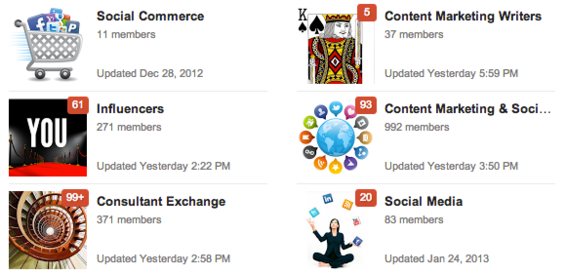
Communities are similar to Facebook or LinkedIn groups.
Google+ recently launched a new component called Communities, which resemble Facebook and LinkedIn Groups. Communities tend to be topically focused, so content shared within them should not be overtly promotional. Still, such communities can help grow awareness of your business, which can lead to more followers.
My article “How to Create a Google Community” outlines the steps for how to set up a community.
10. Track Page Activity Using Analytics
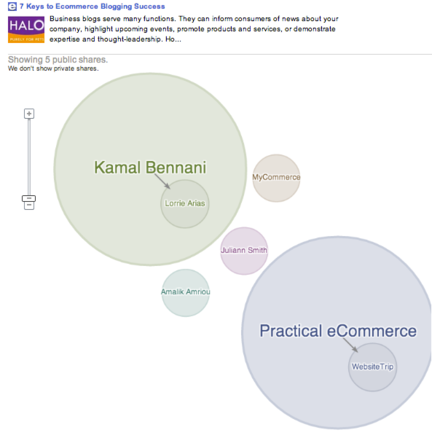
Ripples help merchants identify key influencers.
Google offers two ways to track activity that takes place on your Google+ page to help you understand the effect interaction has on website traffic and sales conversions.
Google+ Ripples
Google+ Ripples is a data visualization tool that shows you who shares and then re-shares your posts most often.
Ripples makes it easy to identify and follow key influencers, and learn what content is most compelling to their audiences. Use it to spot trends and track the spread of posts over time, or see how a post was shared.
Google Analytics
Google Analytics offers a feature called social reports that shows how Google+ influences your conversion funnel, the impact of personalized recommendations on your site, and what visitors from social networks are coming to your site to see. You can also login to AdWords and see AdWords Annotation Reports, which show how ads with Google+ annotations compare to standard ads.
Social reports help you measure the impact social media has on your business goals and conversions.
Conclusion
Due to its growing popularity, the positive effect it can have on search returns, and its ability to directly connect businesses with customers and prospects, Google+ is a social network merchants should consider adding to their social media outreach activities.





 Contribution Margin Guides Ecommerce Growth
 Auto-Translate Won't Win E.U. Shoppers
 The Race to Own AI Shopping
 Google's Redirects Blur Search Rankings
 New Ecommerce Tools: August 26, 2026
 Influencers Mostly Skip Disclosure