


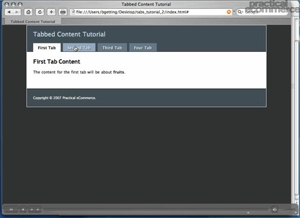
 Tabbed content appears more and more frequently in web pages, and is an interesting way to simultaneously save page space and effectively present information. In part two of this two-part tutorial on creating tabbed content, Practical eCommerce’s online director Brian Getting illustrates how to utilize JavaScript to get our tabbed effect working. View Part 1
Software Used: TextMate
Additional Files: tabs_tutorial_2.zip
View Tutorial
This video tutorial requires Flash Player version 8 or above. Please forward us your ideas for additional video tutorials, via our Contact Us form.



 Google's AI Cart Will Remake Ecommerce
 AI Shifts Product Discovery, not Loyalty
 New Ecommerce Tools: May 20, 2026
 For Brands, AI Is the New Shelf Space
 How Content Marketers Misuse GenAI
 FAQs for Google's 'Preferred Sources'


 SEO for AI, Low Traffic, No Clicks