


Google Search Console has introduced a filter to see URLs users viewed and/or clicked when searching by image.
Google offers image search from multiple interfaces:
- Google.com. On any desktop browser, go to Google’s home page, click the camera icon, and upload an image.
- Google Chrome displays image search on any new empty tab.
- Google or Chrome app (Android and iOS). Take a picture of any object to activate image search.
Since shoppers often use search images to find products, Search Console’s filter reveals a discovery channel for ecommerce merchants.
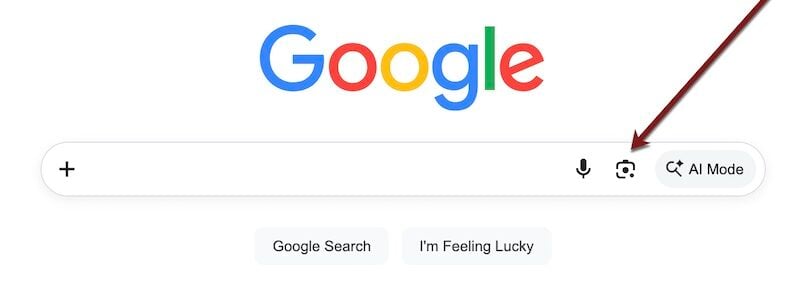
Go to Google’s home page on a desktop browser, click the camera icon, and upload an image.
To access the filter, go to Search Console > Performance > Search results > Search type: Web > Multimodal.
The filter is for image search, not text — there are no queries to list. And the filter doesn’t show the exact image from a viewed page.
But it does list:
- The URL containing the image,
- The number of views and clicks, and the average click-through rate via image search,
- Average position for that image in image search results.
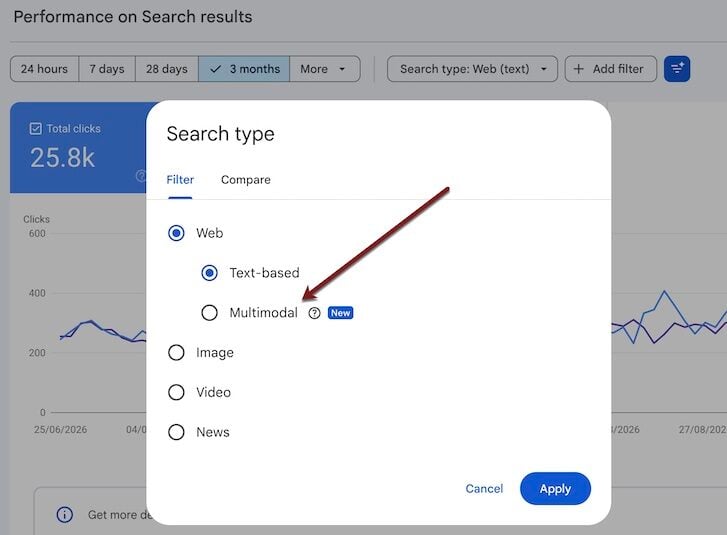
Access the filter at Search Console > Performance > Search results > Search type: Web > Multimodal.
Image Search Optimization
Google’s image search isn’t new. What is new are tools that track visibility for those searches.
Here are pointers to increase your rankings, impressions, and clicks from image search.
Use image sitemaps
Image search results rely on Google’s index. Submitting an image sitemap in Search Console (Indexing > Sitemaps) can point Google to your product photos and improve performance in the new filter.
Shopify stores already include images in sitemaps. But a separate Shopify image-only sitemap can help track indexation, as can a similar option for WooCommerce.
Apply traditional SEO
Traditional search engine optimization is fundamental here. Images that rank in text queries will typically rank in visual search. Descriptive, relevant, keyword-focused file names, alt text, and captions all help images rank in organic search results.
Emphasize quality
Image quality impacts clicks. Searchers who view product images but don’t click suggest poor resolution, size, or clarity.
In my testing, low-clicked ecommerce photos are often the thumbnails in Shopify “Collections” pages. To increase the clicks to those images, try uploading high-resolution versions. To test, download a “Collections” thumbnail and image-search for it on Google to see how it appears.
Experiment
Experiment with product images and track the results. Visual search identifies an object in a photo regardless of the angle, color, or position. But the visual results will often rank images that match the searcher’s version in positioning, angle, or colors.
For ranking opportunities, consider diversifying product images with more colors, close-up details, and multiple angles.
For example, a searcher who uploads a photo of the front of a plush toy will likely see a similar position in the results.
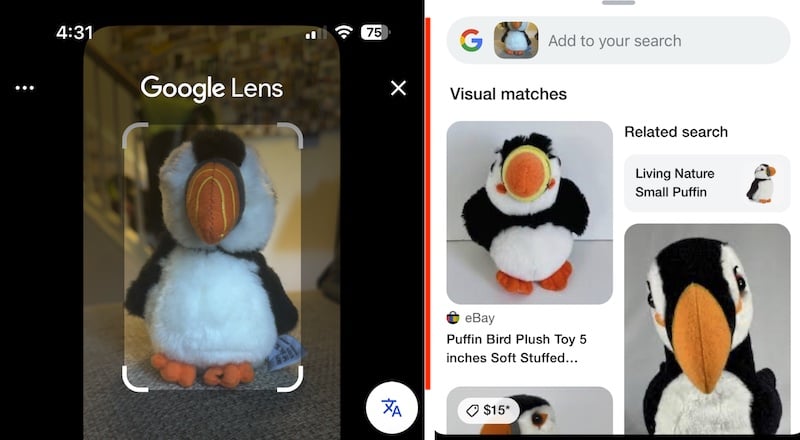
Uploading a photo of the front of a plush toy (at left) will produce a similar position in the results.
Use AI
Prompt a genAI platform for inspiration. Search optimizer Marie Haynes suggests:
- Export the Search Console data from the new multimodal filter,
- Upload it to a genAI tool and ask it why pages with the most clicks and impressions are ranking in visual search,
- Request a dashboard of the findings for easy reference,
- Apply those insights.
For example, pages featuring certain product colors or textures may perform better in visual search. Adding those colors or textures, even in complementary decor, could elevate rankings.
Save the dates for the fixes and experiments, then track the results in the multimodal reports.
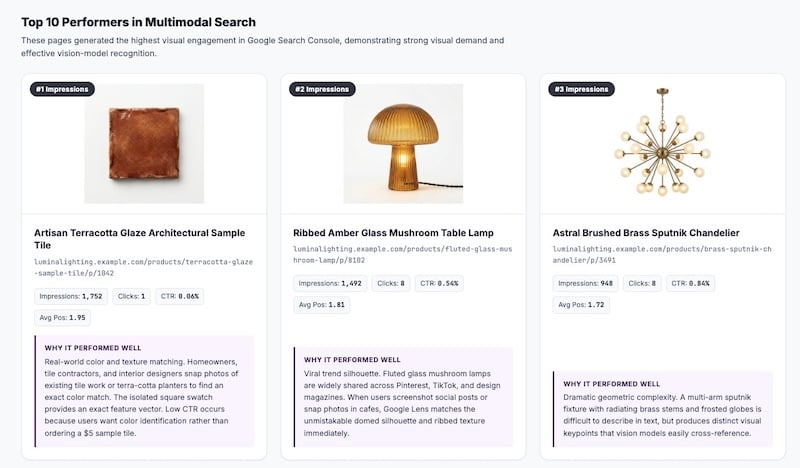
Request from the genAI tool a dashboard of the findings for easy reference. Click image to enlarge.





 AI Shopping Could Mean Fewer Returns
 New Ecommerce Tools: September 30, 2026
 Don’t Make Them Count
 Retail Media's Opportunity Cost
 New Ecommerce Tools: October 7, 2026
 Guardrails for Google Ads AI